
USR Mail help
USR Mail brings your work email into one calm inbox. You connect your Google Workspace or Microsoft 365 mailbox, and your email stays where it is. USR Mail adds a Focused inbox, shared team inboxes such as support@ and sales@ where everyone can see who owns each email, ready templates, simple rules, and links from each email to your USR records, such as a Desk ticket or a CRM lead. USR AI can draft replies and translate, and it never sends anything by itself.
See the screens
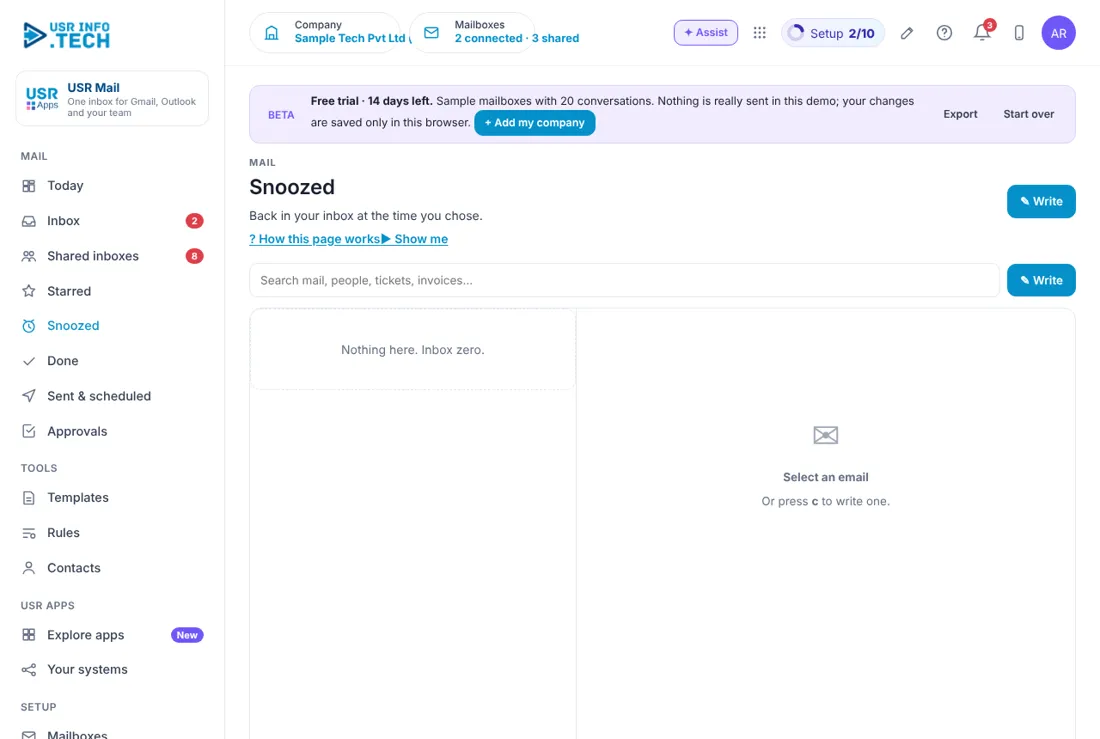
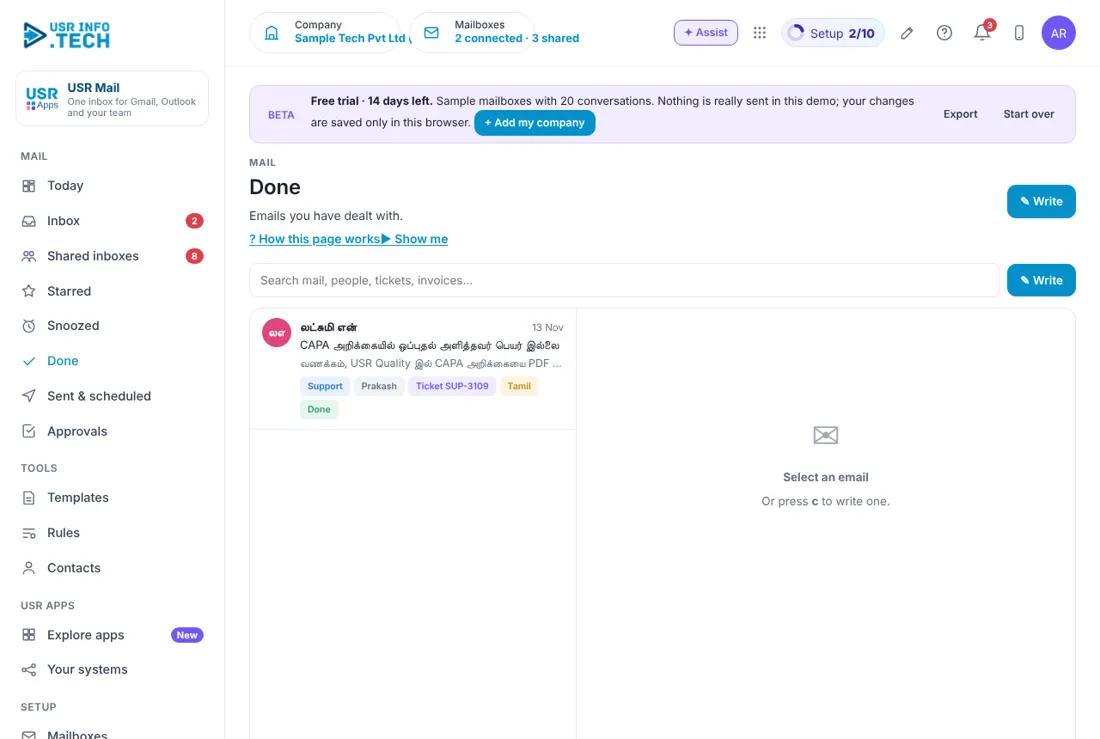
Sample company data. Screens can change as the app improves; the steps stay the same.
Welcome
USR Mail brings your work email into one calm inbox. You connect your Google Workspace or Microsoft 365 mailbox, and your email stays where it is. USR Mail adds a Focused inbox, shared team inboxes such as support@ and sales@ where everyone can see who owns each email, ready templates, simple rules, and links from each email to your USR records, such as a Desk ticket or a CRM lead. USR AI can draft replies and translate, and it never sends anything by itself.
- Focused and Other inbox, so important mail is seen first
- Shared inboxes with an owner and a status for every email
- Templates with {firstName}, {company} and {subject} that fill in for you
- Rules that move and assign mail on their own
- Contacts linked to tickets, leads, vendors and offers in other USR apps
- Undo send, scheduled send, and AI replies and translation
A year in USR Mail
| When | What happens | Who |
|---|---|---|
| At the start | Connect your mailboxes. Create the shared inboxes and add the team. Set your signature. | Admin |
| Every morning | Open Today. Reply to what Needs a reply. Clear the Focused inbox. | Everyone |
| Every day | Own, reply to and finish shared emails. Use templates for common answers. | Team |
| Every week | Look at shared mail waiting over a day. Tidy the rules. | Team lead |
| Every month | Check that rules still fit. Add new templates for new questions. | Admin |
| Every year | Review who has access to each shared inbox. | Admin |
Key ideas
- Mailbox. Your own email account, such as Google Workspace or Microsoft 365.
- Focused. The inbox tab for mail that matters most.
- Other. The tab for newsletters, alerts and no-reply mail.
- Shared inbox. A team address such as support@. Everyone sees who owns each email.
- Owner. The person who is handling a shared email.
- Template. A saved reply with fields that fill in.
- Rule. A when-then instruction, such as move mail with the word pricing to Sales.
- Contact. A person or company you have emailed, with links to other USR apps.
- Undo send. A short wait after you click send, so you can take it back.
- Snooze. Hide an email until the time you choose.
Your email stays where it is. USR Mail signs in through the secure sign-in of Google or Microsoft. It reads and sends through them, and keeps only the links to your USR records. If you stop using USR Mail, your email is still in your own account.
Shared inboxes stop mail from falling through. In a team address such as support@, every email has an owner and a status: Open, Waiting, Mine or Done. The Shared inboxes badge shows how many are open. The Today page tells you how many have waited over a day, so no customer is forgotten.
Let AI help, and keep control. USR AI reads the subject and first line to write your mail brief. It can draft a reply in your tone and translate between languages, such as Hindi and Arabic. It never sends an email on its own. You read, change and send.
Email connected to your work. Each contact shows the records it links to, such as USR Desk Ticket SUP-3112, a USR CRM Lite lead or a USR Ready vendor. You do not need to copy and paste between apps.
Features step by step
5.1 Today
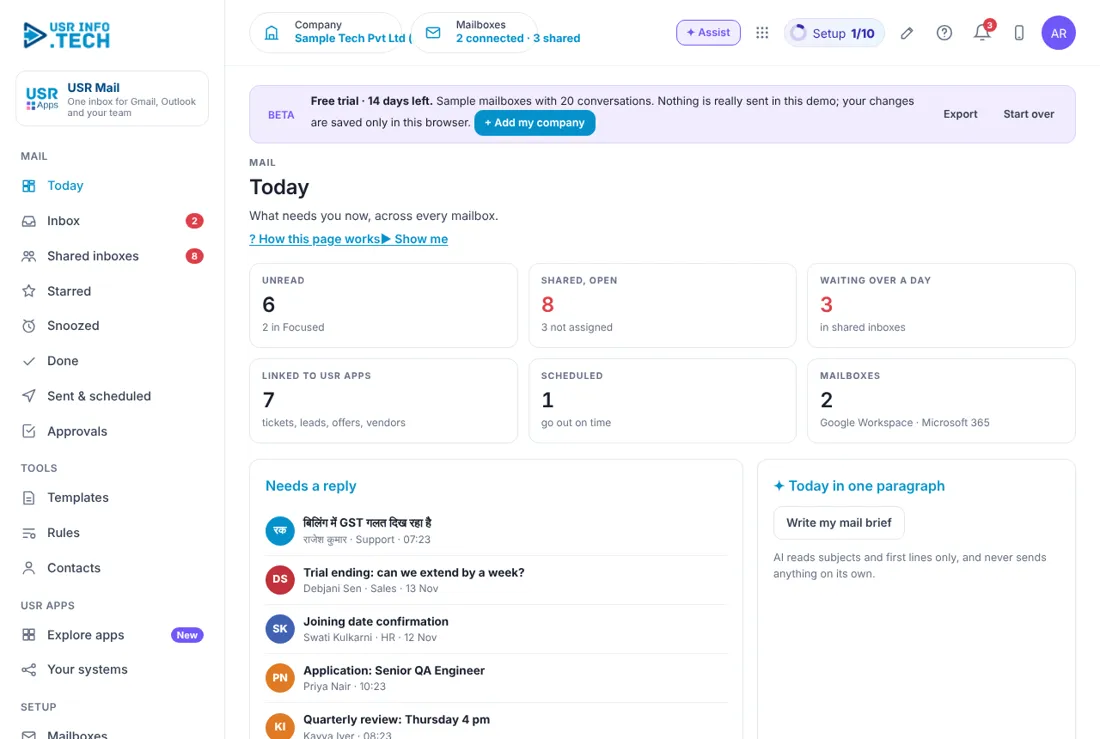
Today shows what needs your attention in email. Unread: How many are unread, and how many are in Focused. Shared, open: Open shared emails, and how many have no owner. Waiting over a day: Shared emails that have waited too long, in red. Linked to USR apps: Emails linked to tickets, leads, offers and vendors. Scheduled: Emails that will go out on time. Mailboxes: The accounts you have connected. Needs a reply: Emails that wait for your answer. Today in one paragraph: Click Write my mail brief. AI reads subjects and first lines only. Watch out: AI never sends anything by itself.
5.2 Inbox
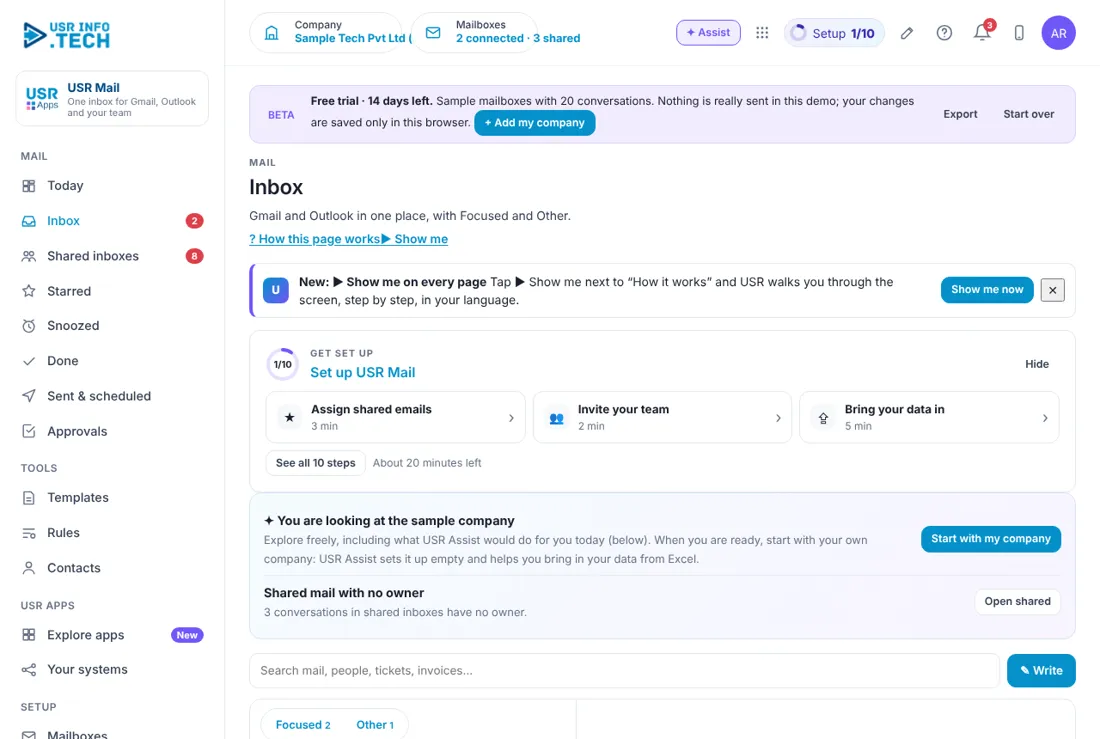
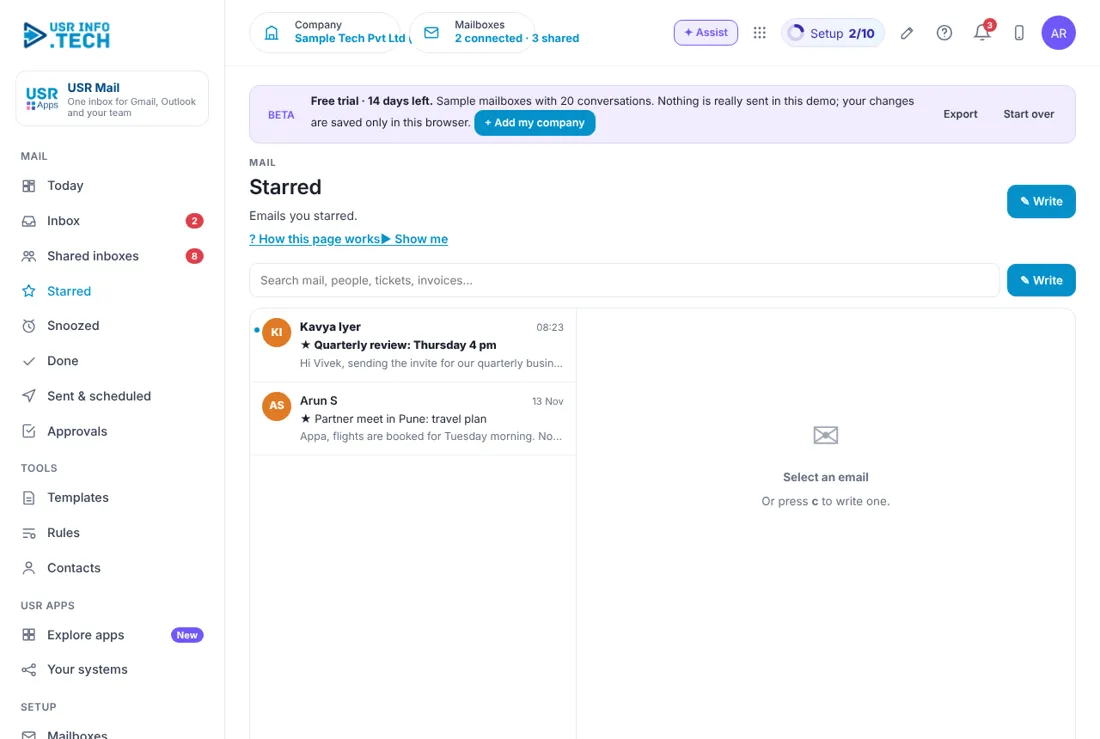
Inbox is where you read and write your own email. Search box: Search mail, people, tickets and invoices. Write: Start a new email. Focused and Other: Two tabs. Important mail is in Focused. Email list: Sender, subject, first line, date and attachments. Reading pane: Opens the email you select. Get set up: A checklist with the time each step takes. Watch out: Starred emails show a star before the subject.
5.3 Shared inboxes
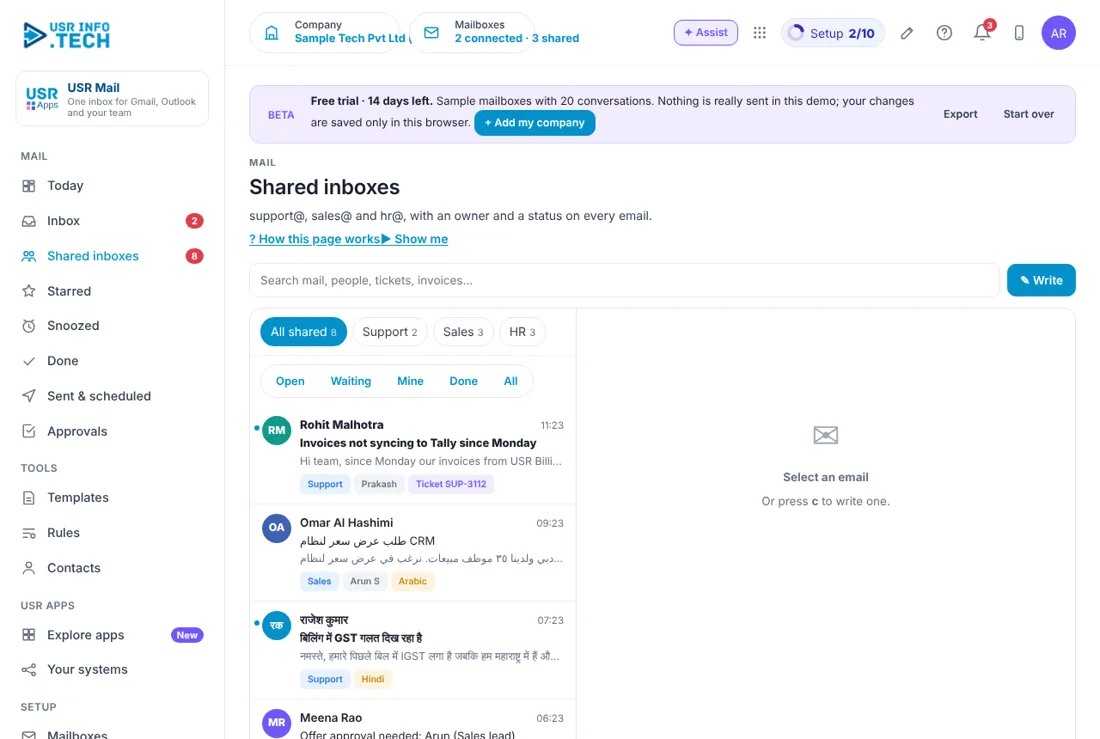
Shared inboxes are team addresses where everyone sees who owns each email. All shared, Support, Sales, HR: Choose a team address. Open, Waiting, Mine, Done, All: Filter by status. Labels: The team address, the owner and any linked record, such as a ticket number. Language tag: Shows Hindi, Arabic and other languages. Search box: Search shared mail. Watch out: Emails with no owner are shown on Today.
5.4 Sent & scheduled
Sent & scheduled lists what you sent and what will go out later. Sent, Scheduled: Two tabs. To: The person you wrote to and the address you sent from. Subject: The subject and the first line. Sent: The date and time. Watch out: Undo send gives you a few seconds to take an email back.
5.5 Approvals
Approvals holds the requests waiting for a decision. Waiting, Overdue, Approved this month: Counts of requests. Approval workflows on: How many workflows are switched on. Waiting on: Filter by approver. Waiting for approval: The list. It is empty when nothing waits. Watch out: Late approvals are flagged and escalated.
5.6 Templates
Templates are saved replies for questions you answer often. + Template: Create a new template. Pricing reply: Answers a pricing question. Trial extension: Extends a trial. Joining instructions: Welcomes a new joiner. Ticket received: Tells a customer you are on it. Fields: {firstName}, {company} and {subject} fill in when you use the template. Edit, Use: Change the template, or put it in an email. Watch out: Read the filled email before you send.
5.7 Rules
Rules sort your mail on their own. + Rule: Create a rule. Run rules on the inbox now: Apply the rules to what is already there. Rule: The name of the rule. When: The condition, such as subject contains pricing. Then: What happens, such as move to Sales and assign a person. On: Switch the rule on or off. Watch out: Too many rules make mail hard to find.
5.8 Contacts
Contacts shows everyone you have emailed and their links to other USR apps. Person: The name and email address. Emails: How many emails you have had. In USR apps: Links to a ticket, lead or vendor. Last email: The date of the last email. Watch out: Bank and no-reply addresses also appear here.
5.9 Mailboxes
Mailboxes is where you connect your email accounts and set up shared inboxes. Your mailboxes: Each account, its provider, last sync and health. Remove: Disconnect a mailbox. + Google Workspace: Connect a Google account. + Microsoft 365: Connect a Microsoft account. + Other (IMAP): Connect another email provider. Shared inboxes: Each team address and its members. + Shared inbox: Create a new team address. Watch out: Your email stays with Google or Microsoft.
5.10 Mail settings
Mail settings holds how you write and send. Signature: The text added to your emails. AI tone: For example Warm and professional. Reply in: The language of AI replies. Undo send: How many seconds you can take an email back. Split my inbox into Focused and Other: Switch the two tabs on or off. Ask for read receipts: People can decline. USR Mail never hides tracking pixels. Watch out: Check your signature before you start.
5.11 Plan & billing
Plan & billing shows your plan and the plans you can choose. One bill covers every USR app through USR Billing. Free: ₹0 (US$0). 1 mailbox, Focused inbox, 3 templates. Team: ₹124 (US$1.7) per user a month on the yearly plan. Shared inboxes, templates, AI replies and translation. Business: ₹249 (US$3.3) per user a month on the yearly plan. Rules, links to every USR app, unlimited AI, scheduled send. Enterprise: Talk to us. Private hosting, retention policies, agreed SLA. Mid-market: 501 to 5,000 users. Volume pricing per user, in INR or USD. Yearly or Monthly: Yearly means you pay for 10 months. Prices: INR excludes 18% GST. Watch out: There is a 14-day Business trial with no card needed.
If something is not working
| Problem | What to do |
|---|---|
| My mailbox shows not healthy | Open Mailboxes, remove it and connect it again with the provider's secure sign-in. |
| A shared email has no owner | Open it and take it, or ask your team lead to assign it. |
| A rule did not move an email | Check the When text and that the rule is switched on. Click Run rules on the inbox now. |
| A template field is empty | The contact may have no first name. Type it in before you send. |
| I sent an email by mistake | Click Undo during the undo-send seconds. Set 10 seconds in Mail settings. |
Questions people ask
Does USR Mail store my email? Your email stays with Google or Microsoft. USR Mail keeps only the links to your USR records.
Does AI send emails? No. AI drafts and translates. You read, change and send.
Can I use another email provider? Yes. Connect it as Other (IMAP).
Who can see a shared inbox? The people you add to it in Mailboxes.
Is there a trial? Yes. A 14-day Business trial starts when you add your own company.
Glossary
Mailbox: Your own email account. Focused: The tab for mail that matters most. Shared inbox: A team email address, such as support@. Owner: The person handling a shared email. Template: A saved reply. Rule: A when-then instruction for mail. Snooze: Hide an email until later. IMAP: A way to connect other email providers.
USR Mail shares one record with these apps
No retyping between apps: data entered once flows to the next app, on the same login.
USR Mail is part of USR One. Service Suite from ₹349 ($9) per agent a month, or every app in USR One Complete. Free for up to 10 people.
See USR One
