
USR Status help
USR Status shows the live status of every USR app, incidents with honest updates, planned maintenance and 90-day uptime. Anyone can read the public status page and subscribe to updates by email, WhatsApp, RSS or webhook. It is free for every USR customer.
See the screens
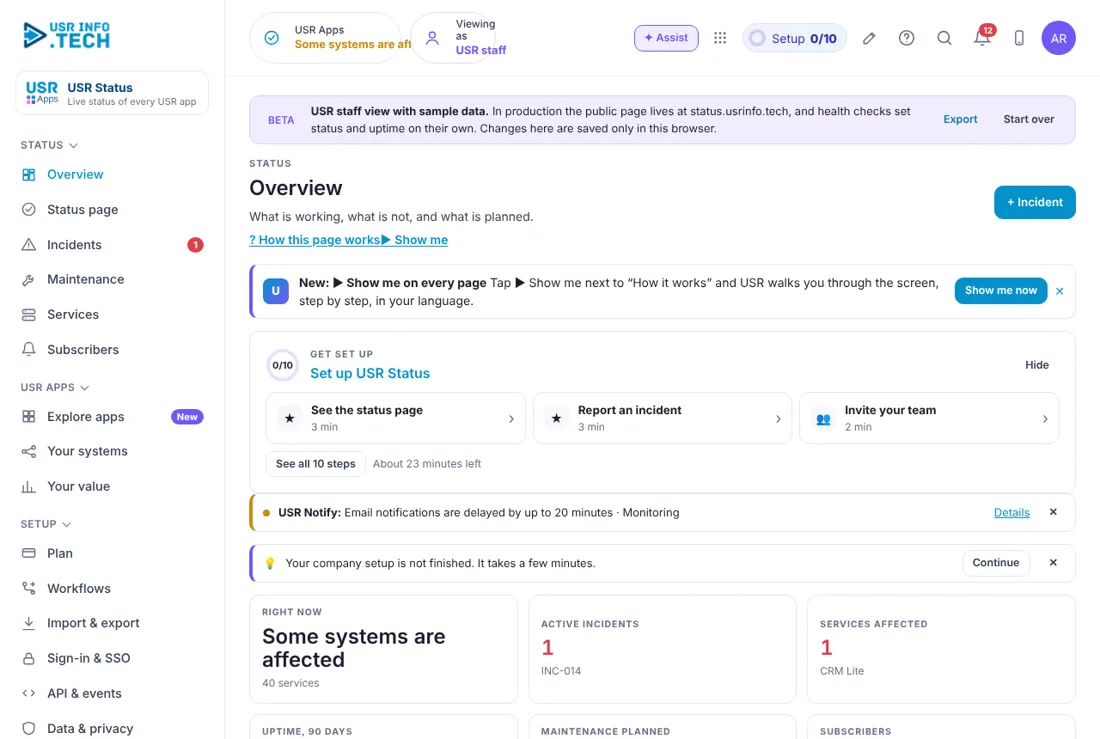
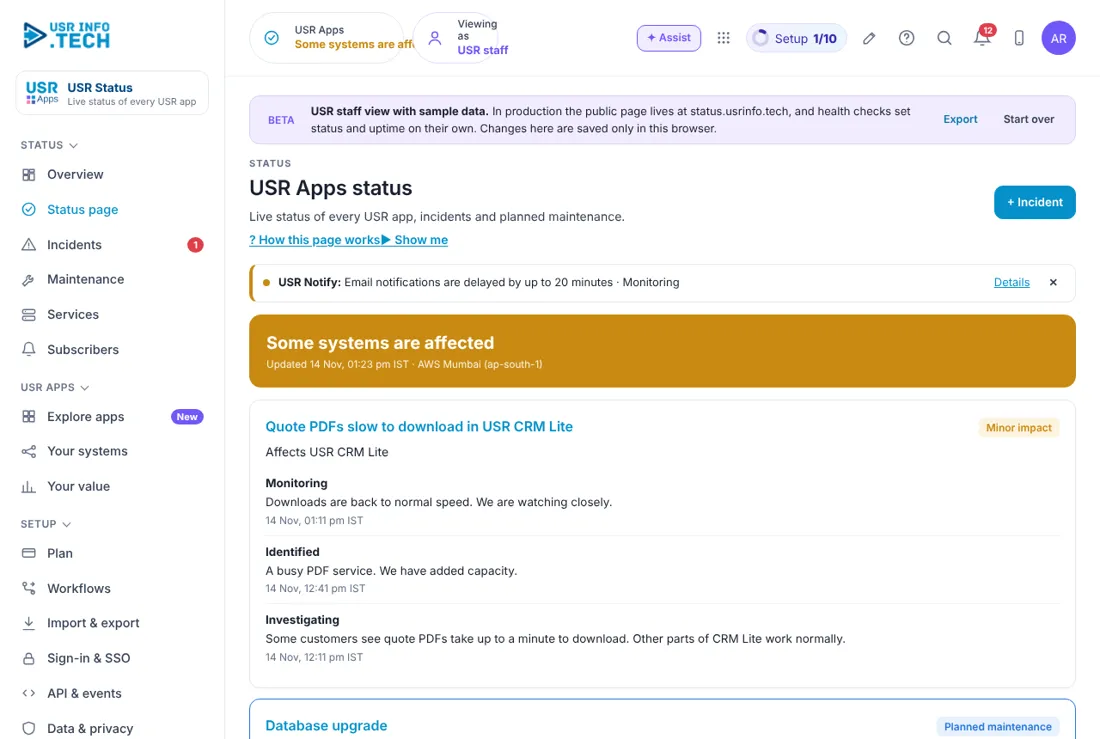
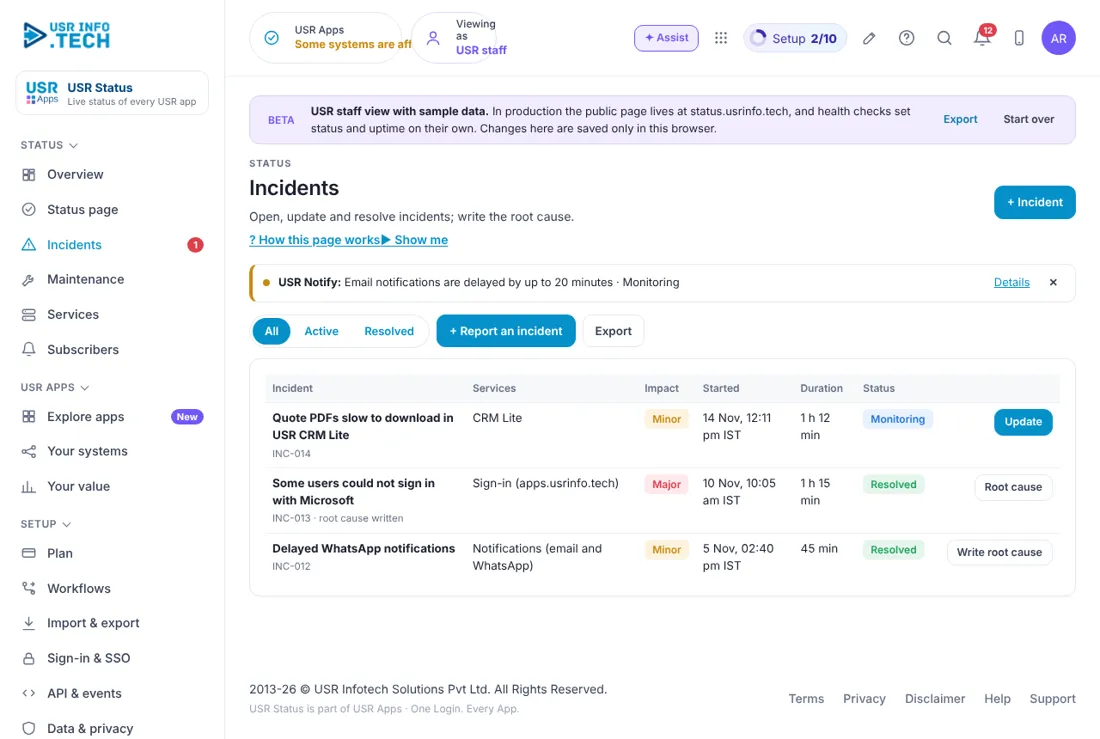
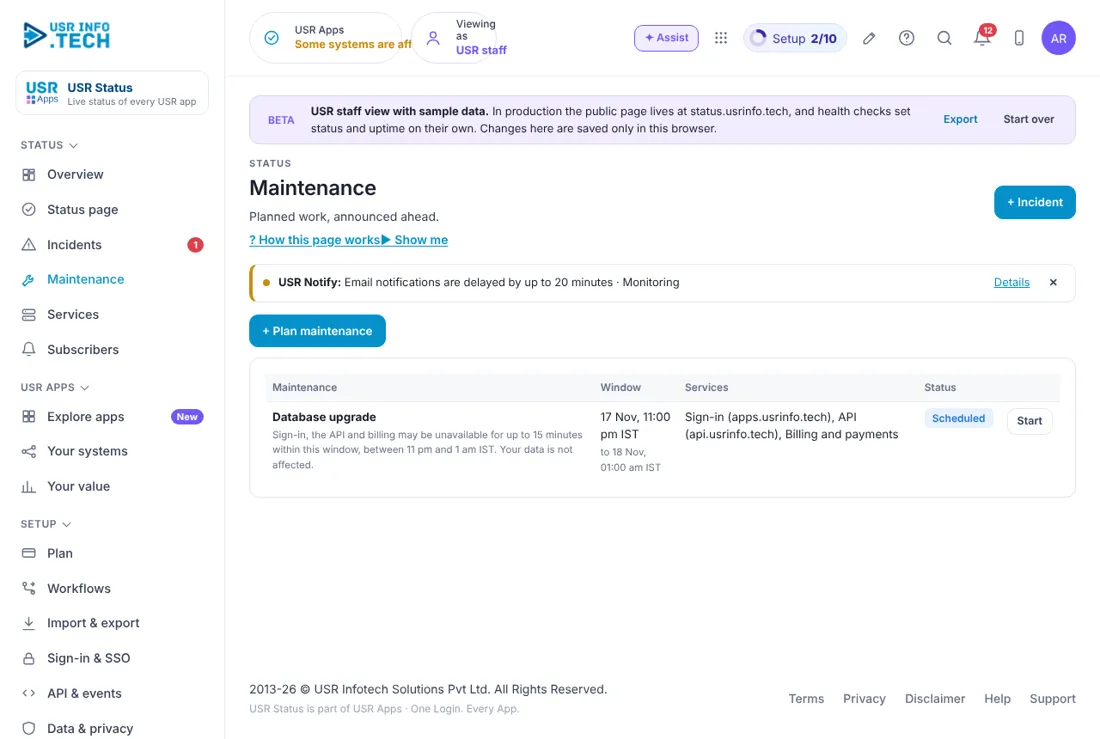
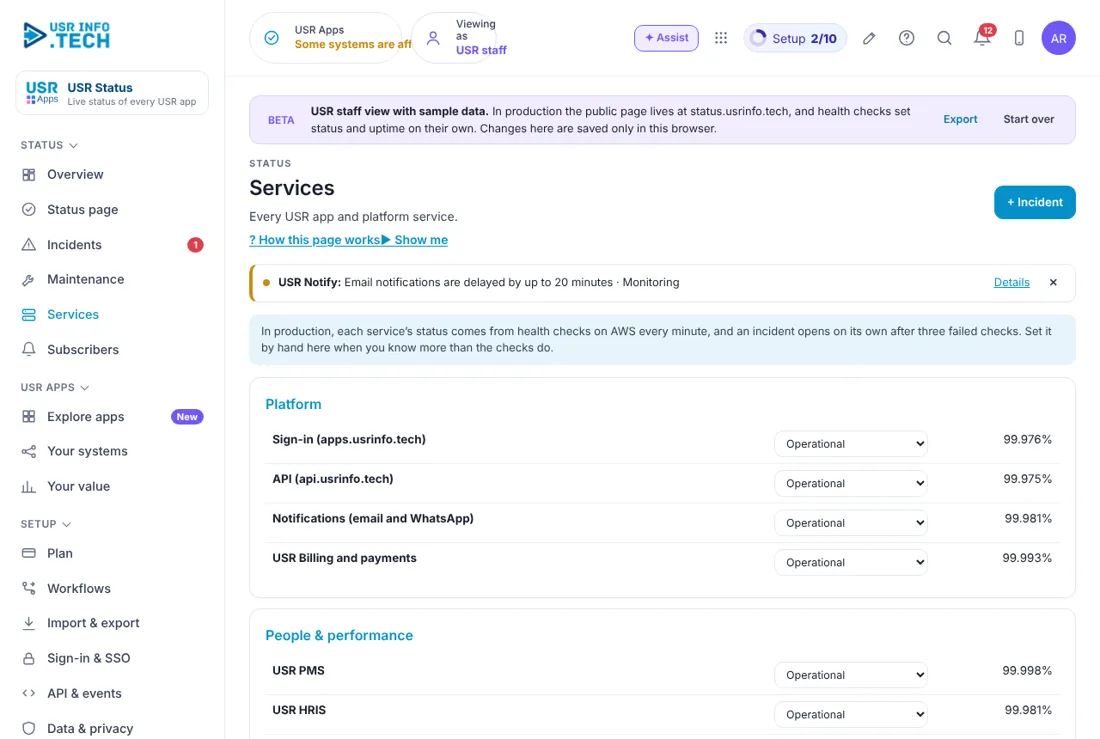
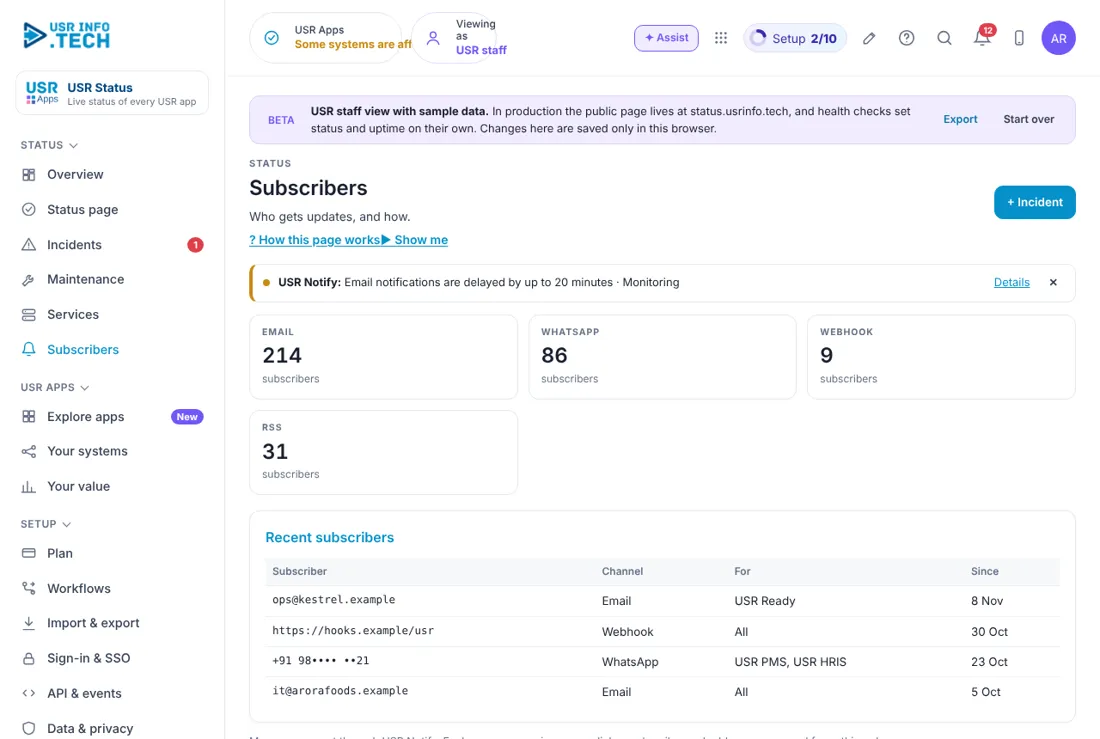
Sample company data. Screens can change as the app improves; the steps stay the same.
Welcome to USR Status
USR Status shows the live status of every USR app, incidents with honest updates, planned maintenance and 90-day uptime. Anyone can read the public status page and subscribe to updates by email, WhatsApp, RSS or webhook. It is free for every USR customer.
- Live status of every USR app and platform service
- Incidents with updates and a root cause
- Planned maintenance announced ahead
- 90-day uptime for each app
- Updates by email, WhatsApp, RSS or webhook
- Free for every USR customer
A year in USR Status
| When | What happens | Who |
|---|---|---|
| Day one | Open the USR Apps status page and subscribe to the apps you use. | Customer admin |
| When something looks wrong | Check the status page before raising a ticket. | Everyone |
| During an incident | Read updates on the page or in your messages. | Customer admin |
| After an incident | Read the root cause note. | Customer admin |
| Before planned work | Plan around maintenance windows announced ahead. | Customer admin |
Key ideas in simple words
- Service. One USR app or platform service, such as sign-in or email.
- Status. Operational, Degraded, Partial outage or Major outage.
- Incident. Something that stops or slows a service, with updates until it is resolved.
- Maintenance. Planned work announced ahead, with start and end times.
- Uptime. The share of time a service worked in the last 90 days.
- Subscriber. A person or system that gets updates.
GOOD TO KNOW: USR updates the page as soon as a problem is confirmed, and writes the root cause after it is fixed. The page shows real status; it is never edited to look better.
Who does what
| Role | What you do | What you see |
|---|---|---|
| Customer or partner | Reads the page and subscribes | Public status page |
| USR support lead | Opens and updates incidents, replies to customers | Incidents, Subscribers |
| USR DevOps | Updates services, plans maintenance, writes the root cause | Everything |
| USR admin | Manages sign-in and data rules | Setup |
Quick start
- Open the USR Apps status page (link at the bottom of every USR app under Help).
- Find the apps you use and read their status and 90-day uptime.
- Click Subscribe and choose email, WhatsApp, RSS or webhook.
- Tick only the apps you use, then confirm.
YOU SHOULD SEE: You get a confirmation message, and future updates for those apps reach you on their own.
Features step by step
5.1 USR Apps status
The public page: live status of every USR app, current incidents, planned maintenance and 90-day uptime bars.
Tip: Bookmark it; check it before raising a ticket.
5.2 Incidents
USR staff open, update and resolve incidents and write the root cause. Customers see each update with its time.
Tip: Updates come at least every 30 minutes during a major outage.
5.3 Maintenance
Planned work, announced ahead, with the apps affected and the time window in your time zone.
Tip: Most work is done outside Indian business hours.
5.4 Services
Every USR app and platform service with its current status.
Tip: Platform services such as sign-in affect every app.
5.5 Subscribers
Who gets updates, and how: email, WhatsApp, RSS or webhook.
Tip: Use a webhook to post updates into your own team chat.
5.6 Plan
Free for every USR customer.
Tip: No card, no limit on subscribers.
BEING COMPLETED: Status pages for your own services (today USR Status covers USR apps). Nothing here is promised by date.
Works with other USR apps
USR Status shares one record with every USR app. Add these next to save more typing:
| App | What flows |
|---|---|
| USR Desk | Tickets about an incident link to it. |
| USR Dev | Fixes and releases link to the root cause. |
| USR Insights | Uptime appears on your dashboards. |
| USR Forms & e-Sign | Incident reports for your own customers. |
If something is not working
| Problem | What to do |
|---|---|
| I did not get an update | Check your spam folder, then subscribe again from the status page. |
| My app is slow but the page says Operational | Raise a ticket at support@usrinfo.tech with the page and the time; it may be your network. |
| Too many messages | Open the link in any update and untick the apps you do not use. |
| I cannot sign in | Use the same Google account or employee ID as before. Ask your admin to reset your PIN. |
| A page is missing | Menus follow your access. Ask your admin. |
Questions people ask
Is USR Status free? Yes, for every USR customer.
Can I see past incidents? Yes. Each incident stays on the page with its root cause.
Can my IT team get updates in their tools? Yes, by RSS or webhook.
Who updates the page? USR support and DevOps staff.
Glossary: words you will see
- Root cause. why the incident happened and what was done so it does not happen again
- Degraded. working but slower or with errors
- RSS. a feed your reader app checks for new updates
- Webhook. a message USR sends to your system when status changes
USR Status shares one record with these apps
No retyping between apps: data entered once flows to the next app, on the same login.
USR Status is part of USR One. Operations Suite from ₹399 ($10) per seat a month, or every app in USR One Complete. Free for up to 10 people.
See USR One
