
USR Ready help
USR Ready helps a company stay ready for audits, customer reviews and regulators. You switch on the frameworks you need (ISO 27001, DPDP, CERT-In, PCI DSS, RBI IT and Cyber, ISO 42001). You store each proof once and link it to every control that needs it. You also manage policies, training, risks, vendors, audits and incidents, and show customers a Trust Center.
See the screens
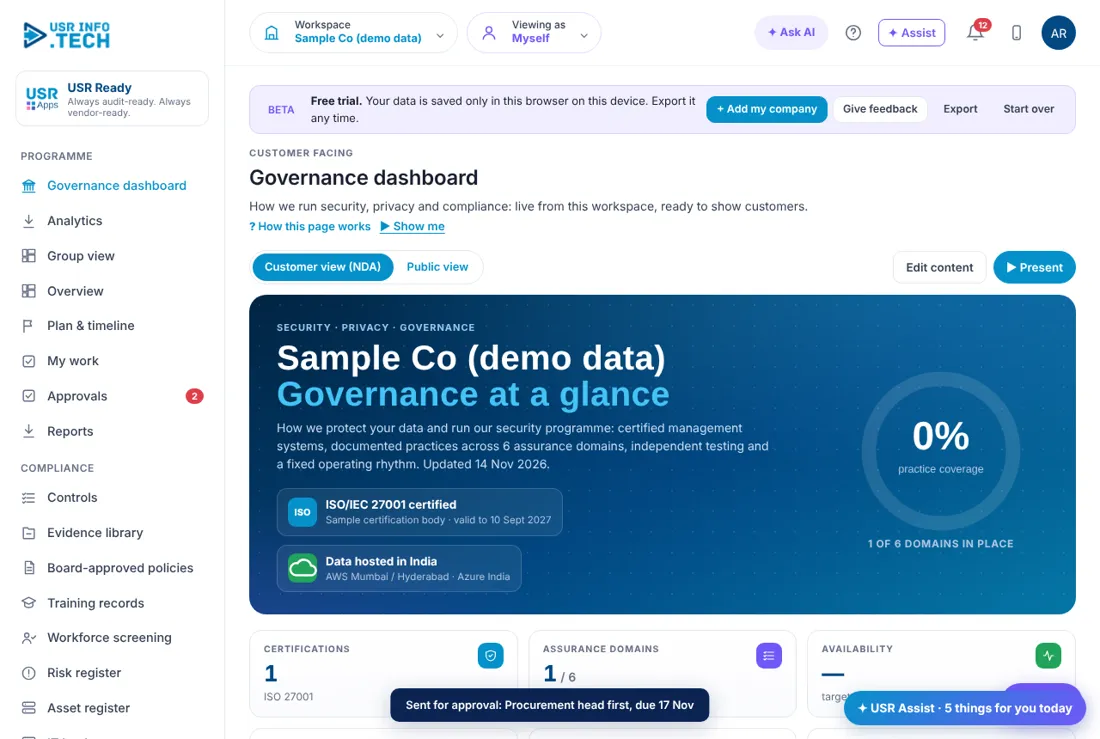
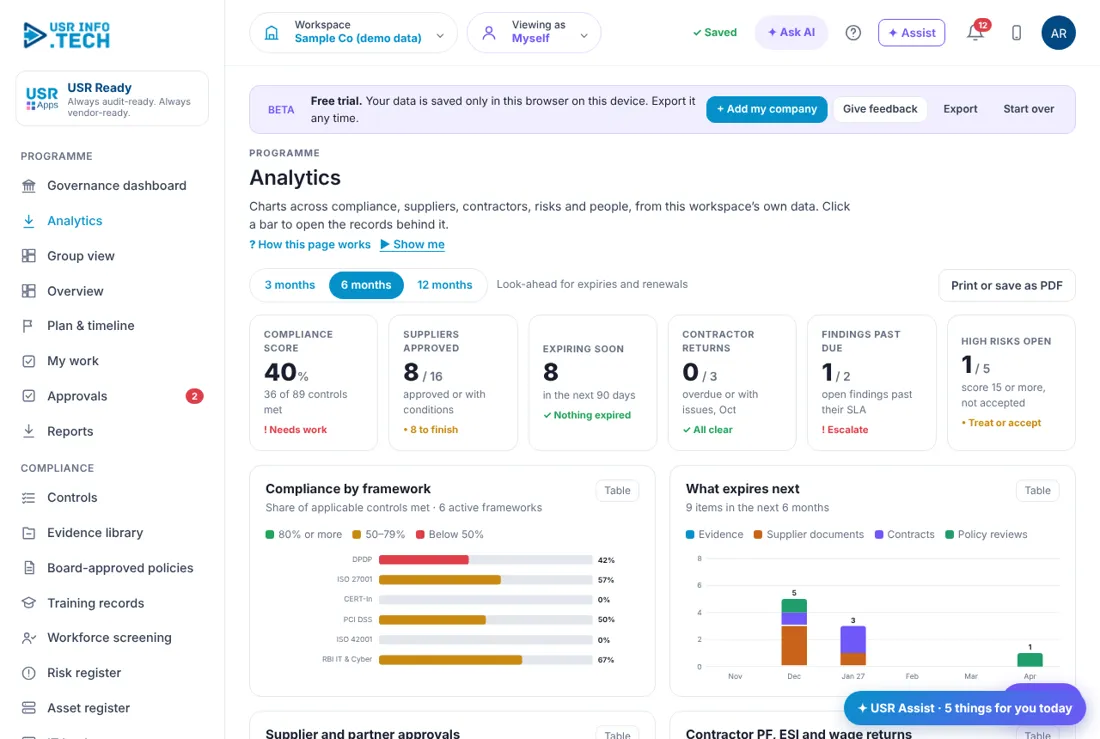
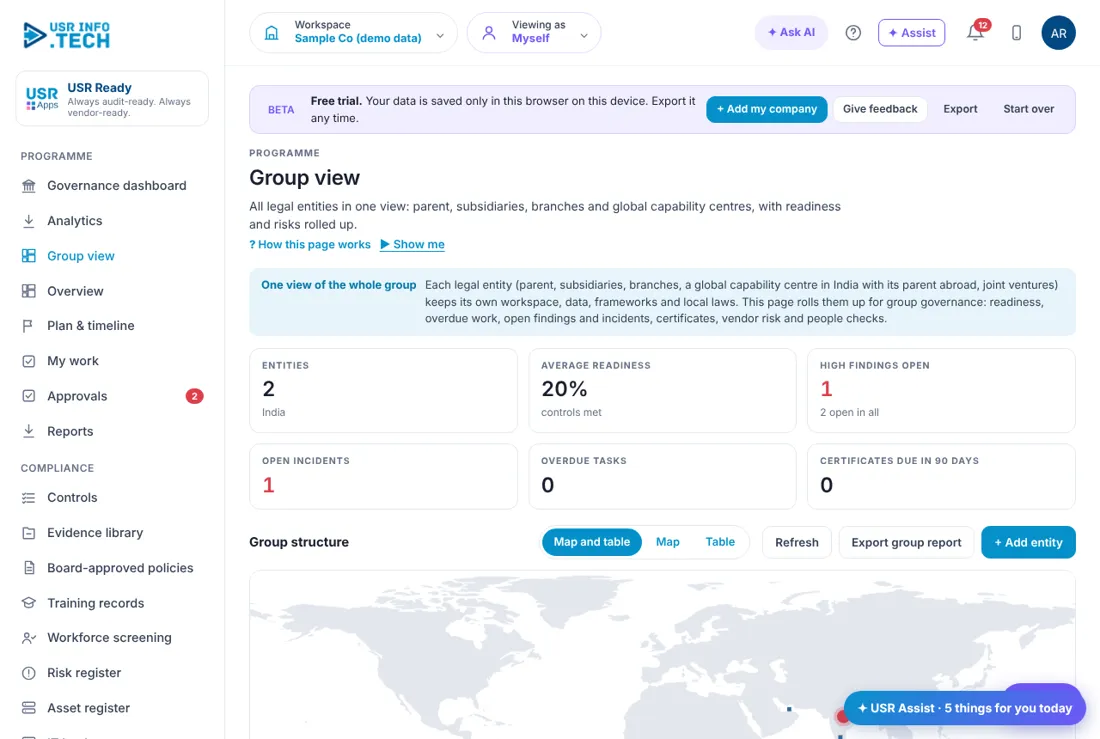
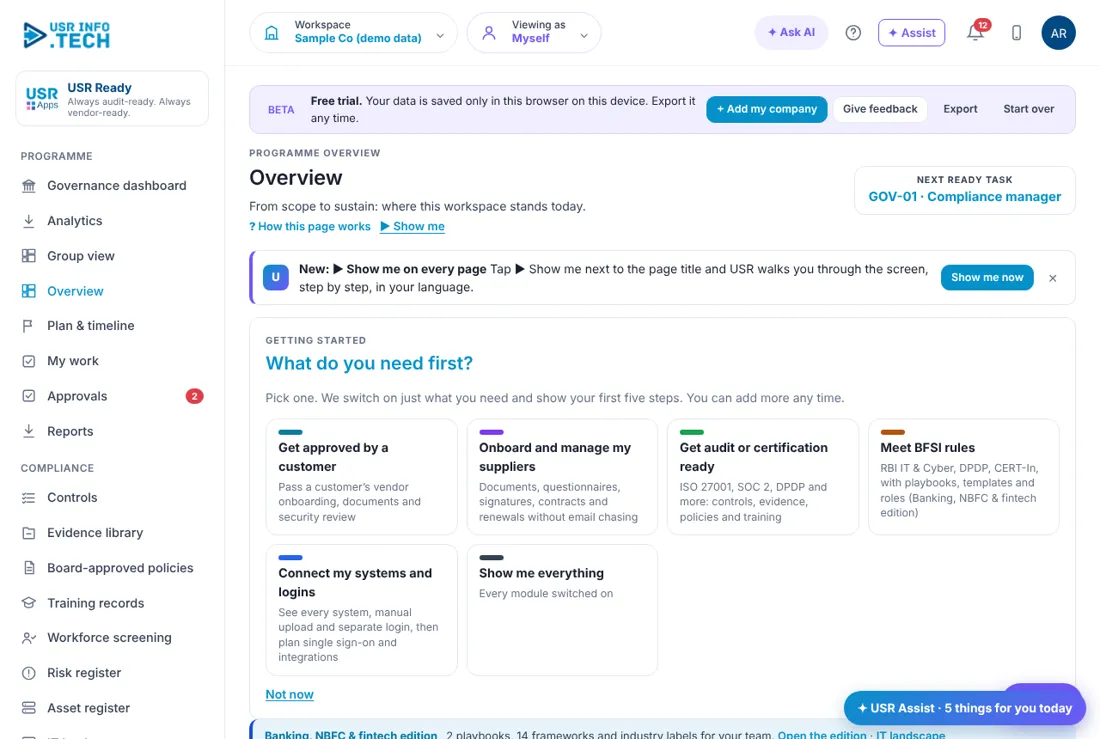
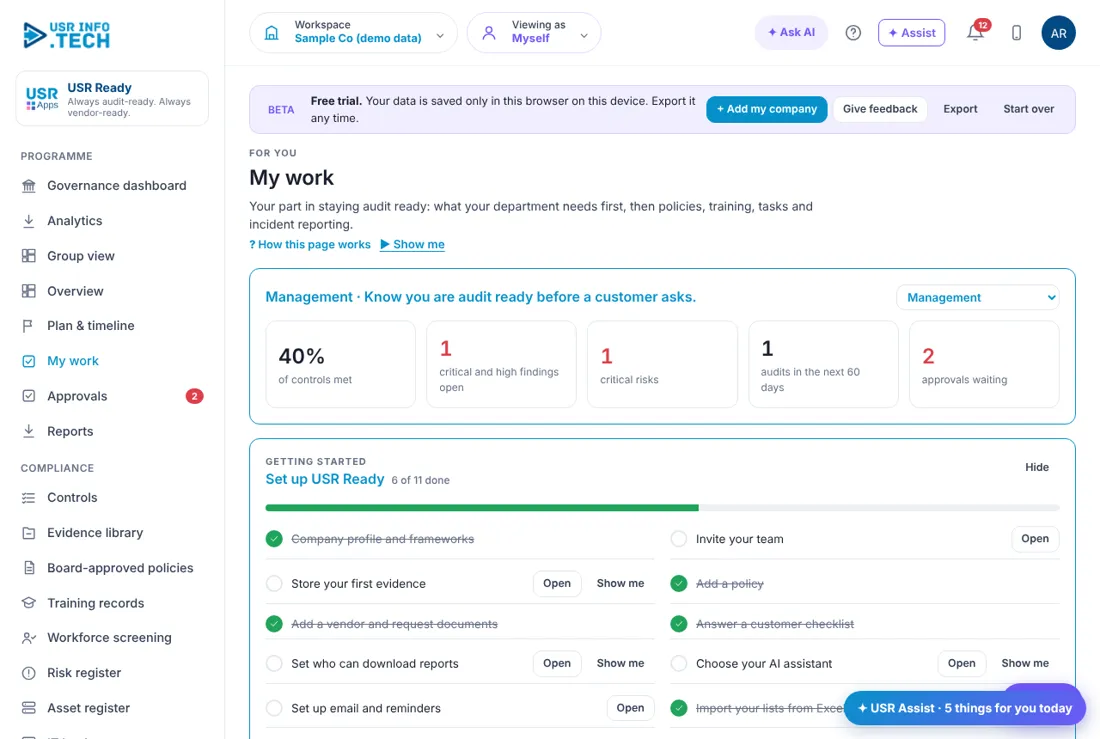
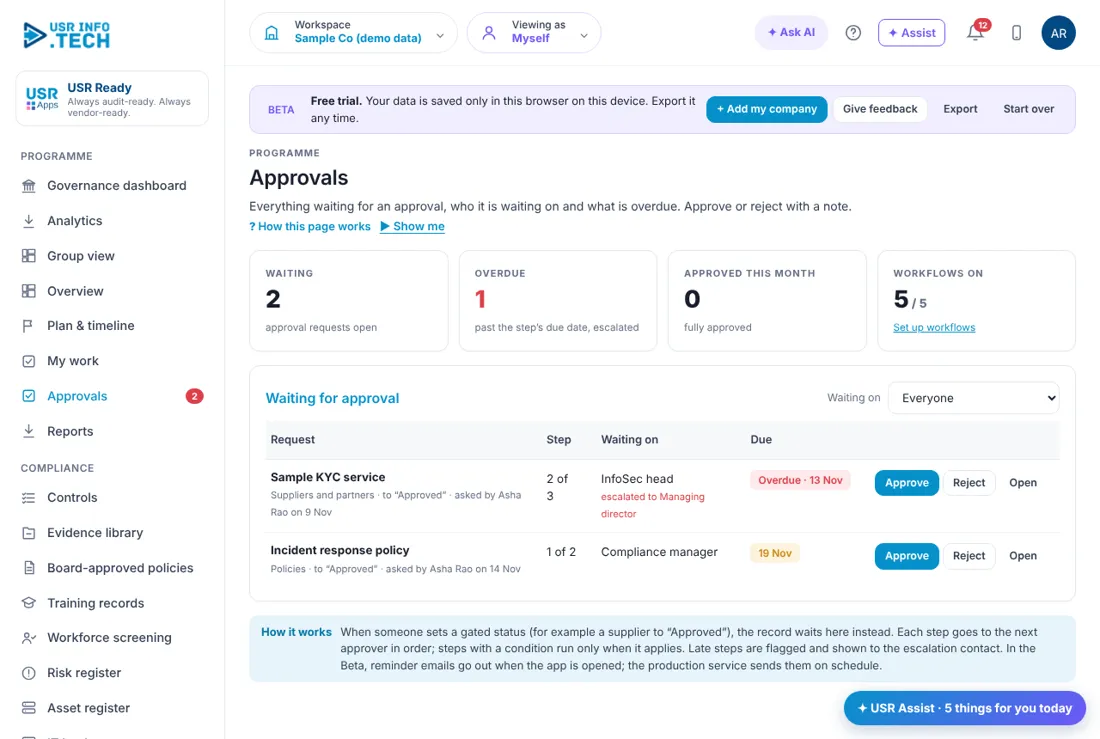
Sample company data. Screens can change as the app improves; the steps stay the same.
Welcome
USR Ready helps a company stay ready for audits, customer reviews and regulators. You switch on the frameworks you need (ISO 27001, DPDP, CERT-In, PCI DSS, RBI IT and Cyber, ISO 42001). You store each proof once and link it to every control that needs it. You also manage policies, training, risks, vendors, audits and incidents, and show customers a Trust Center.
A year in USR Ready
| When | What happens | Who |
|---|---|---|
| At the start of the year | Choose the frameworks. Appoint a security owner. Plan the audits. | Compliance manager |
| Every week | Open My work and the Overview. Clear Needs attention. | Compliance manager |
| Every month | Store new evidence. Review the risk register and vendor reviews. | Security owner |
| Every quarter | Run training, review access, check vendors' certificates. | Owners |
| Before an audit | Check each control has its evidence. Close the findings. | Compliance manager |
| After an incident | Log it at once. The CERT-In 6-hour clock starts when it is detected. | Security owner |
| Every year | Review policies. Renew certificates. Do the DPDP impact assessment. | Management |
Key ideas
- Framework. A set of rules, such as ISO 27001 or the DPDP Act.
- Control. One requirement of a framework, with an owner and a status.
- Evidence. A proof, such as a policy or report. One proof can cover many controls (in the sample company 43 documents cover 70 requirements).
- Policy. A written rule approved by management, with a review date.
- Risk. Something that could go wrong, scored by likelihood and impact.
- Finding. A gap found in an audit or test, with a time limit to fix it.
- Incident. A security event, such as a phishing email.
- Trust Center. A page showing customers the certificates you hold.
No certificate exists under the DPDP Act: you show compliance through a self-assessment backed by stored proofs, so every DPDP row needs its evidence linked. CERT-In reportable incidents must be reported within 6 hours of noticing them; the clock starts at Detected.
Features step by step
5.1 Overview
One-page state of the programme. First-time chooser: Get approved by a customer, Onboard and manage my suppliers, Get audit or certification ready, Meet BFSI rules, Connect my systems and logins, Show me everything. Set up USR Ready checklist (11 steps). Main numbers: Overdue tasks, Evidence stored, Controls met, Open findings. Framework cards. Needs attention (overdue, incidents, past-SLA findings, policy reviews, certificates expiring). Key dates (add under Admin > Workspaces). Status by track (Governance, Implementation, Third parties, Evidence, Assurance) with red, amber or green.
5.2 Controls
Every requirement of each active framework, with tabs for All frameworks, ISO 27001, DPDP, CERT-In, PCI DSS, RBI IT and Cyber, ISO 42001 and how many are met. Columns: Ref, Requirement and how we meet it, Evidence (E02 etc.), Owner, Status (Not started, In progress, Met, Not applicable). + Add control. A control marked Met with no evidence will fail an audit.
5.3 Evidence library
Store each proof once; ticks show which frameworks it covers; Covers is Common or Specific; Readiness shows Missing or ready. From your USR apps: items that collect themselves. + Add evidence. Store each proof the day it is produced.
5.4 Board-approved policies
Policy register: ID, name and version, owner, status (Approved, In review, Draft), next review, how many staff acknowledged. + Add policy, Export. A policy past its review date is flagged on the Overview.
5.5 Training records
Course cards (Information security awareness, DPDP and privacy basics), filters All, Completed, Assigned, Overdue; person, course, due, completed, score. + Assign training. Auditors always ask for these.
5.6 Risk register
Heatmap of open risks by likelihood and impact; By level (Critical, High, Medium, Low); filters Open, Treating, Accepted, Closed; score, treatment, owner, review. + Add risk. Review Critical risks every month.
5.7 Vendor onboarding
A department asks; the vendor fills one form on any phone; GSTIN, PAN, Udyam and IFSC are checked as they type. Board columns: Requested, Registration sent, Registration received, Checks and documents, Approval. Buttons: + New vendor request, Preview the registration form, Send registration link, Fill in for them, Remind, Review checks. A failed check shows in red: review before approving.
5.8 Audits
Audit calendar: audit, auditor, dates, non-conformities (major and minor), status (Planned, In progress, Completed). + Plan audit. Plan an internal audit before every certification audit.
5.9 Cyber incidents
Incident log with severity, CERT-In 6h time left or how late, clients notified, status (Open, Contained, Resolved, Closed). + Report incident at once: the clock starts at Detected.
5.10 Trust center
The page customers see. Only certificates you hold are shown; work in progress such as SOC 2 or DPDP readiness is never published. Shows certifications held, where your data lives, security contact, documents (public ones open directly, others under NDA) and sub-processors. Edit under Admin > Workspaces; choose shared documents in the Evidence library.
5.11 Framework library
Filter by Security, AI, Privacy, Cloud, Sector, Assurance, Industry, EHS, Labour, ESG, Governance. Cards show type, region, starter controls and Active. Recommended comes from your industry, hosting, regions and data types. Activate loads the starter controls. Start with the frameworks your customers ask for.
If something is not working
| Problem | What to do |
|---|---|
| A control shows no evidence | Open the Evidence library and link the proof to the control. |
| The Trust Center shows no certificate | Add the certificate under Admin > Workspaces. Only certificates you hold are shown. |
| A framework is missing | Open Framework library and click Activate. |
| I cannot see a page | Your role may not allow it. Ask your administrator. |
Questions people ask
Is there a DPDP certificate? No. Compliance is shown through a self-assessment backed by stored proofs.
Does USR Ready make us certified? No. It keeps you ready. A certification body issues the certificate.
Can one proof serve many audits? Yes. Store it once and link it to every control that needs it.
Is there a trial? Yes, 14 days, when you add your own company.
Glossary
Control: one requirement of a framework. Evidence: a proof of a control. Finding: a gap found in an audit or test. Non-conformity: a failure to meet a requirement. Trust Center: the page customers see. DPDP: India's Digital Personal Data Protection Act.
USR Ready shares one record with these apps
No retyping between apps: data entered once flows to the next app, on the same login.
USR Ready is part of USR One. Operations Suite from ₹399 ($10) per seat a month, or every app in USR One Complete. Free for up to 10 people.
See USR One
