
USR Tally Connector help
USR Tally Connector keeps USR CRM Lite and TallyPrime in step, so nobody types a customer or an invoice twice. New customers become Tally ledgers, quotes can be saved as optional quotations in Tally, and sales invoices and receipts come back from Tally into USR. When both sides change the same field, you pick the right value once.
See the screens
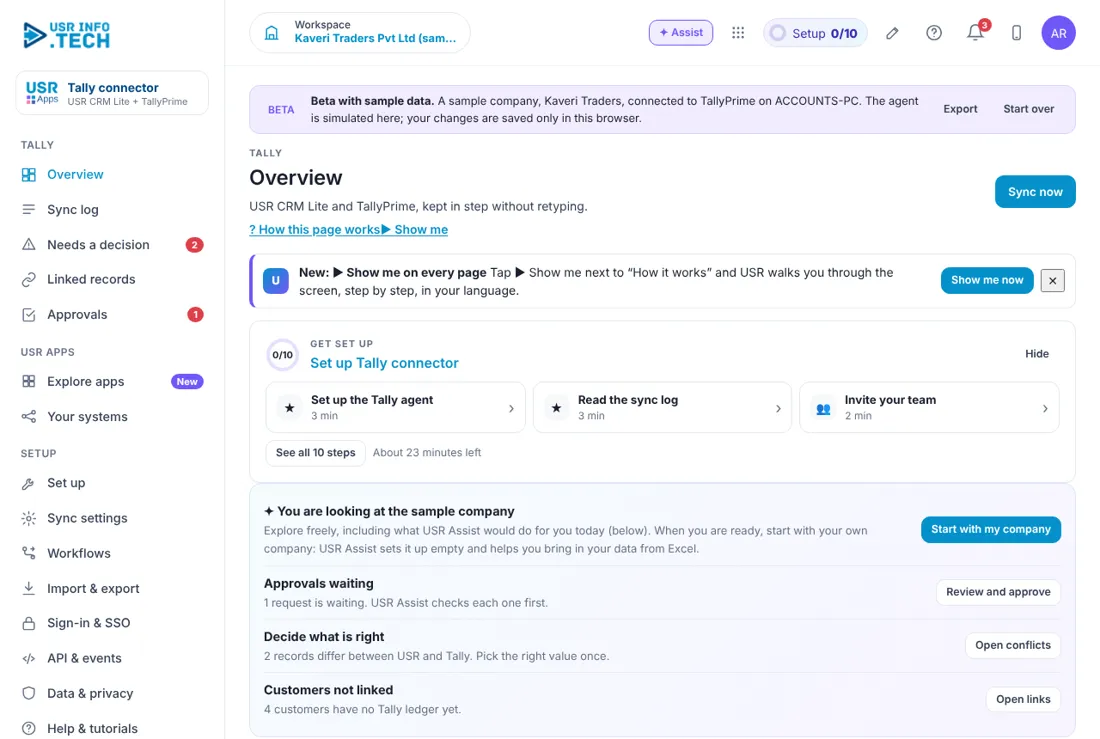
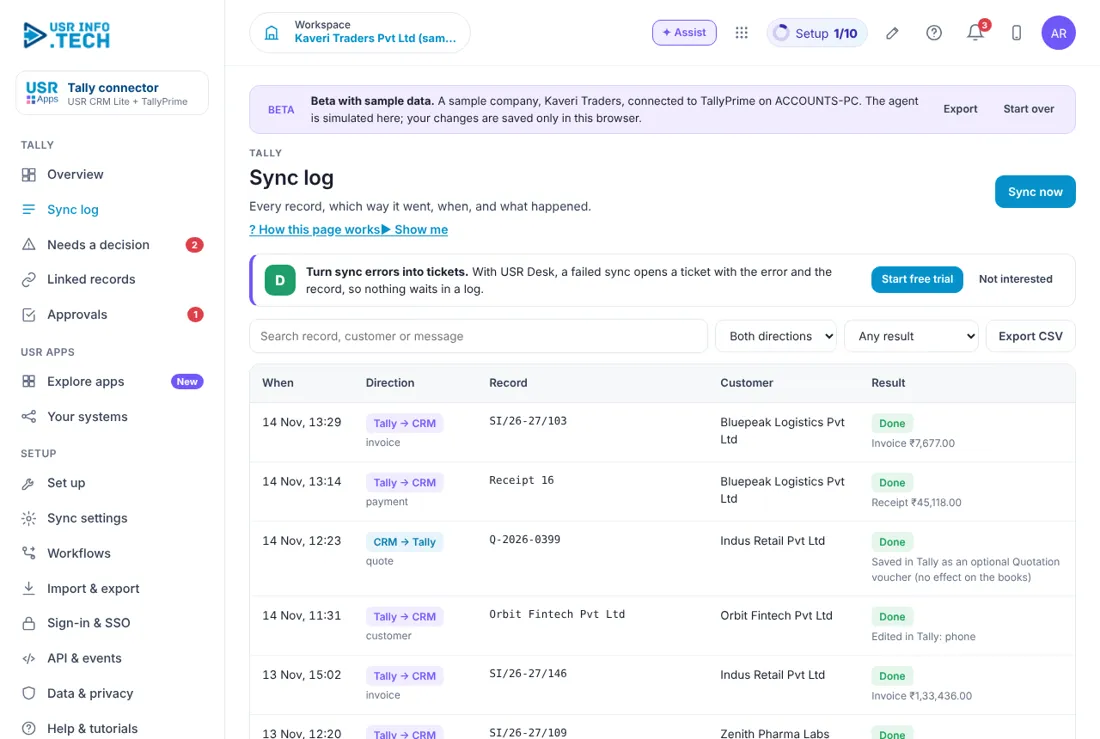
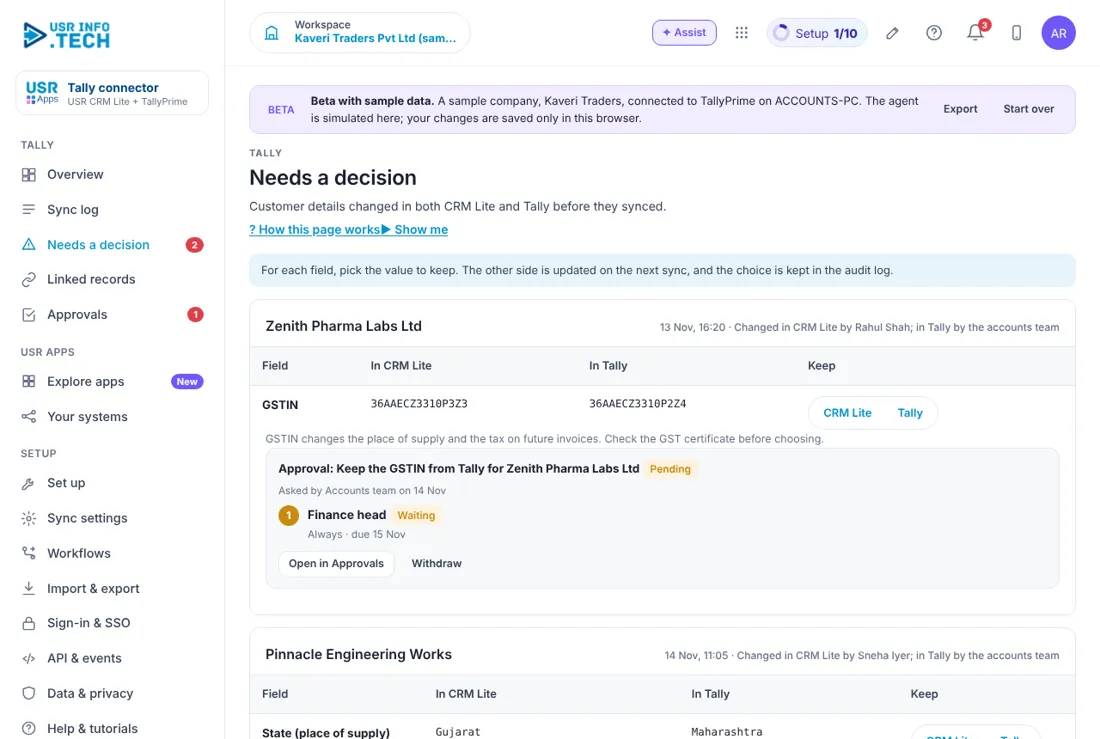
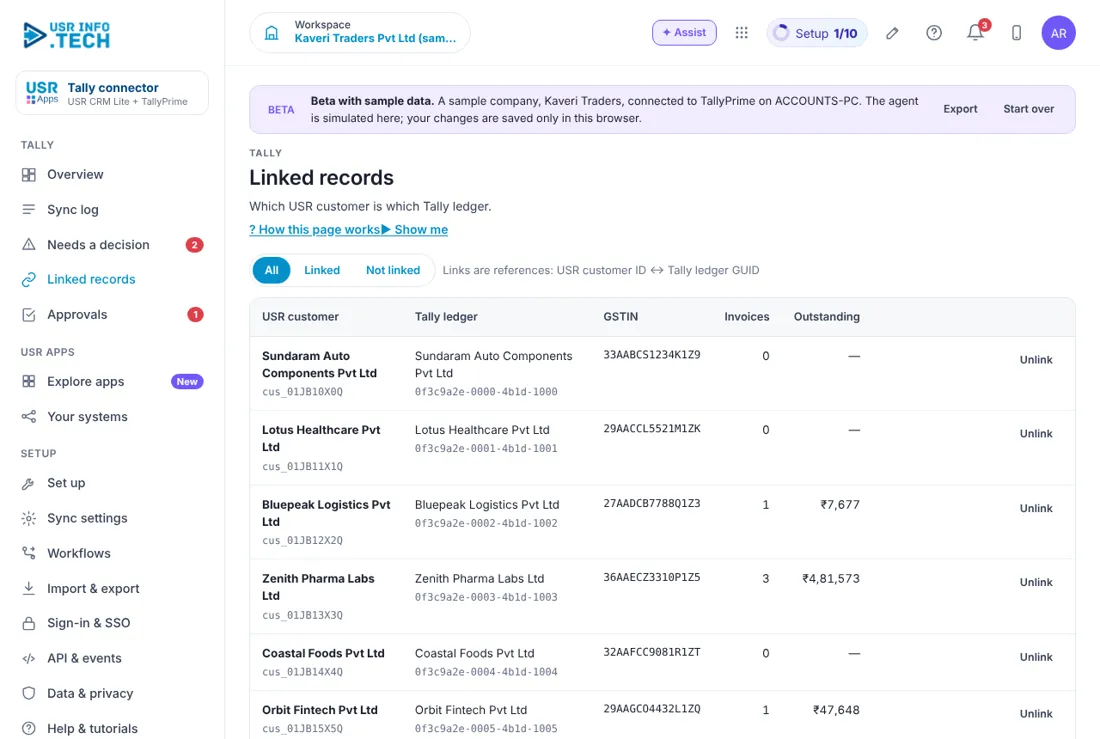
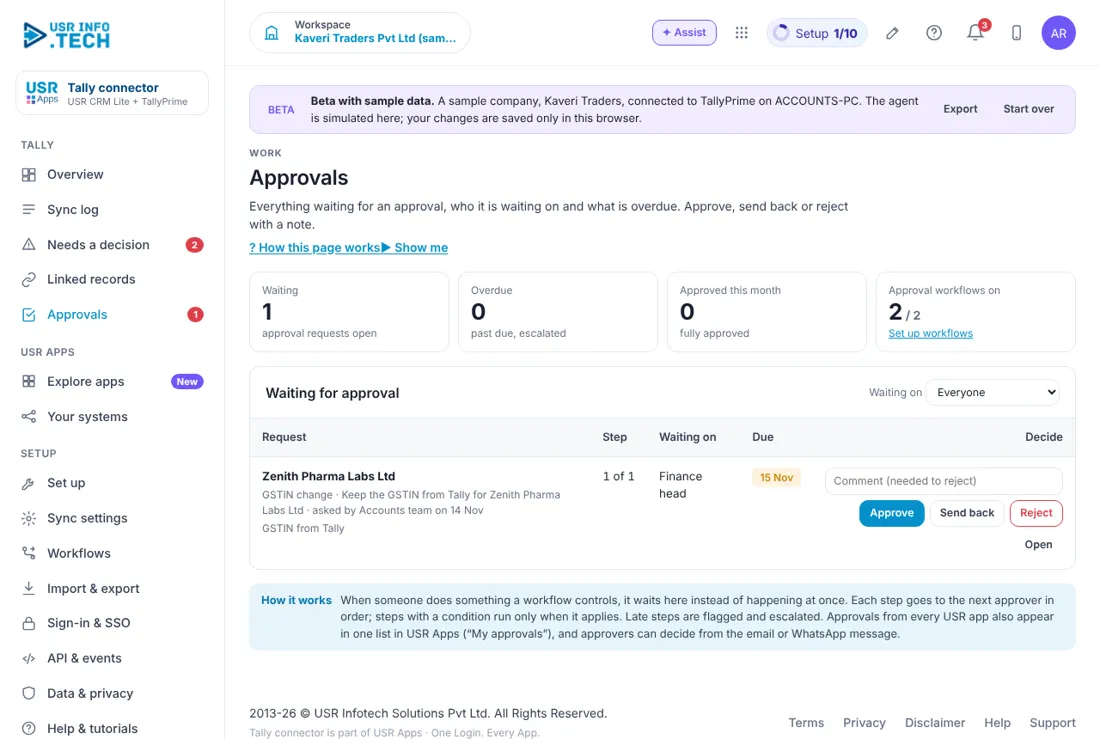
Sample company data. Screens can change as the app improves; the steps stay the same.
Welcome to USR Tally Connector
USR Tally Connector keeps USR CRM Lite and TallyPrime in step, so nobody types a customer or an invoice twice. New customers become Tally ledgers, quotes can be saved as optional quotations in Tally, and sales invoices and receipts come back from Tally into USR. When both sides change the same field, you pick the right value once.
- Customers in USR become ledgers under Sundry Debtors in Tally
- Sales invoices and receipts come back from Tally into USR
- Quotes can be saved in Tally as optional Quotation vouchers that do not touch your books
- A small agent on your accounts computer checks for changes every 60 seconds
- When both sides change a field, you choose which value to keep, and the choice is logged
A year in USR Tally Connector
| When | What happens | Who |
|---|---|---|
| At the start | Install the agent on the accounts computer, link it to your Tally company and switch sync on. | Finance head, admin |
| Every day | Look at Needs a decision and decide each difference. | Accounts |
| Every week | Read the Sync log for failed items and link new ledgers. | Accounts |
| Every month | Check Linked records: customers with no Tally ledger and ledgers with no customer. | Accounts |
| At year end | Check that invoice numbers and the new Tally financial year match. | Finance head |
| When you change computer | Remove the agent from the old computer and set up the new one. | Admin |
Key ideas in simple words
- Agent. A small program on your accounts computer. It talks to TallyPrime and to USR.
- Ledger. A customer account in Tally, kept under Sundry Debtors.
- GUID. A unique code for each ledger in Tally. USR uses it to match records, so a renamed ledger is still found.
- Link. The reference between a USR customer and a Tally ledger. It is a reference only, never a second customer list.
- Sync log. A list of everything that moved, in which direction and with what result.
- Needs a decision. A field changed on both sides. You pick the value to keep.
- Optional voucher. A quotation saved in Tally that has no effect on the books.
- Who wins. The rule for which side's value is kept when both change.
The customer stays in USR Records. USR CRM Lite keeps only a link to the Tally ledger, so you never have two customer lists that drift apart. Most changes sync quietly. If the same field differs on both sides, the connector asks you once and keeps your choice in the audit log. Changing a GSTIN or a state changes the place of supply and the tax on future invoices, so these can need approval from your finance head. Check the GST certificate before you choose.
| Role | What you do and see |
|---|---|
| Accounts | Sync log, Needs a decision and Linked records. |
| Finance head | Also Approvals and Sync settings. |
| Admin | Set up, the agent and users. |
Features step by step
5.1 Overview
Shows if the connection is healthy and what needs you. Sync now runs a sync at once. Cards: Approvals waiting, Decide what is right (Open conflicts), Customers not linked (Open links), Connection (Syncing, company, computer, last seen), Linked customers, Synced today, Need a decision, Failed (last 7 days). A 14-day chart and What flows where (customers, quotes, invoices, receipts and the direction of each).
5.2 Sync log
Every record that moved. Filters: Both directions, Any result (Done, Failed, Needs a decision, Skipped). Columns: When, Direction (CRM to Tally or Tally to CRM and the kind), Record, Customer, Result. Export CSV. With USR Desk, a failed sync opens a ticket with the error and the record. The log is kept for 12 months.
5.3 Needs a decision
Records where the same field changed on both sides. For each field click CRM Lite or Tally, then Apply. The other side is updated on the next sync. A tax field such as GSTIN waits for your finance head (Open in Approvals, or Withdraw). Watch out: GSTIN changes the place of supply and the tax on future invoices.
5.4 Linked records
Which USR customer goes with which Tally ledger. Filters: All, Linked, Not linked. Columns: USR customer and ID, Tally ledger and GUID, GSTIN, Invoices, Outstanding. Unlink stops sync for that pair and deletes nothing. For a Not linked ledger click Link to a customer or Add as new customer. Ledgers created in Tally first appear as Not linked.
5.5 Approvals
Changes waiting for a decision, such as a GSTIN change. Counts: Waiting, Overdue, Approved this month. Click Approve, Send back or Reject (a comment is needed to reject). Approvers can also decide from the email or WhatsApp message.
5.6 Set up
Six steps: 1 Download the agent, 2 Link this computer, 3 Prepare TallyPrime (port 9000), 4 Map your ledgers, 5 Choose who wins, 6 Test and switch on (checks: agent online, TallyPrime answering, company loaded, ledgers and voucher type found, signed in to USR). Then Test again and switch Sync is on. Only one computer can be linked for each Tally company.
5.7 Sync settings
Sync is on switch. Check for changes every 30 seconds, 1, 2 or 5 minutes. Sync now. Read everything from Tally again re-reads all ledgers and vouchers; records match by GUID so nothing is duplicated. Agent panel: computer, version, Tally company, how far it has read, batches waiting. To move to another computer, remove the agent from the old one first.
If something is not working
| Problem | What to do |
|---|---|
| Sync shows not running | Open Sync settings, check Sync is on and the agent shows a recent last seen time. Make sure the accounts computer and TallyPrime are on. |
| A customer has no ledger | Open Linked records. Link it to an existing ledger, or let the next sync create the ledger under Sundry Debtors. |
| A failed item says the ledger was renamed | The connector relinks by GUID. Check again after the next sync. |
| A tax change is waiting | Changes to GSTIN or state wait for your finance head in Approvals. |
| I want to start again | In Sync settings click Read everything from Tally again. |
Questions people ask
Does it change my Tally books? Customers become ledgers, and invoices and receipts come back to USR. Quotes are saved only as optional Quotation vouchers, which have no effect on the books.
How fast is it? The agent checks every minute by default. You can choose 30 seconds, 2 minutes or 5 minutes.
Is there a separate plan? This app has no Plan & billing page of its own.
What if two people change the same field? You choose the value once in Needs a decision, and the choice is kept in the audit log.
Glossary
Agent: the small program on your accounts computer. GUID: the unique code of a Tally ledger. Ledger: a customer account in Tally. Linked record: a USR customer matched with a Tally ledger. Optional voucher: a quotation with no effect on the books. Sundry Debtors: the Tally group for customer ledgers.
USR Tally shares one record with these apps
No retyping between apps: data entered once flows to the next app, on the same login.
USR Tally is part of USR One. Finance Suite from ₹999 ($25) per company a month, or every app in USR One Complete. Free for up to 10 people.
See USR One
