
USR Expense help
USR Expense makes claims simple. Snap a photo of each receipt, and the app works out per diem and mileage, checks the policy by grade and city, sends the claim for approval and hands it off to payroll or USR Books. USR Expense never pays anyone itself; payment happens in payroll or your bank.
See the screens
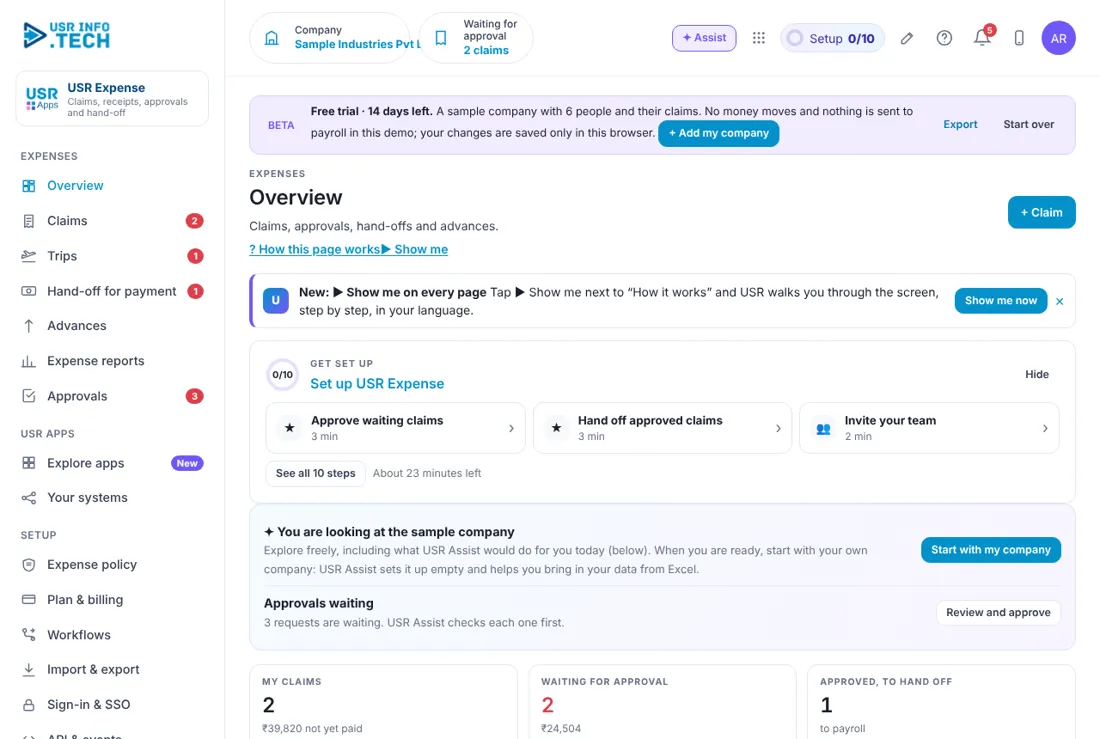
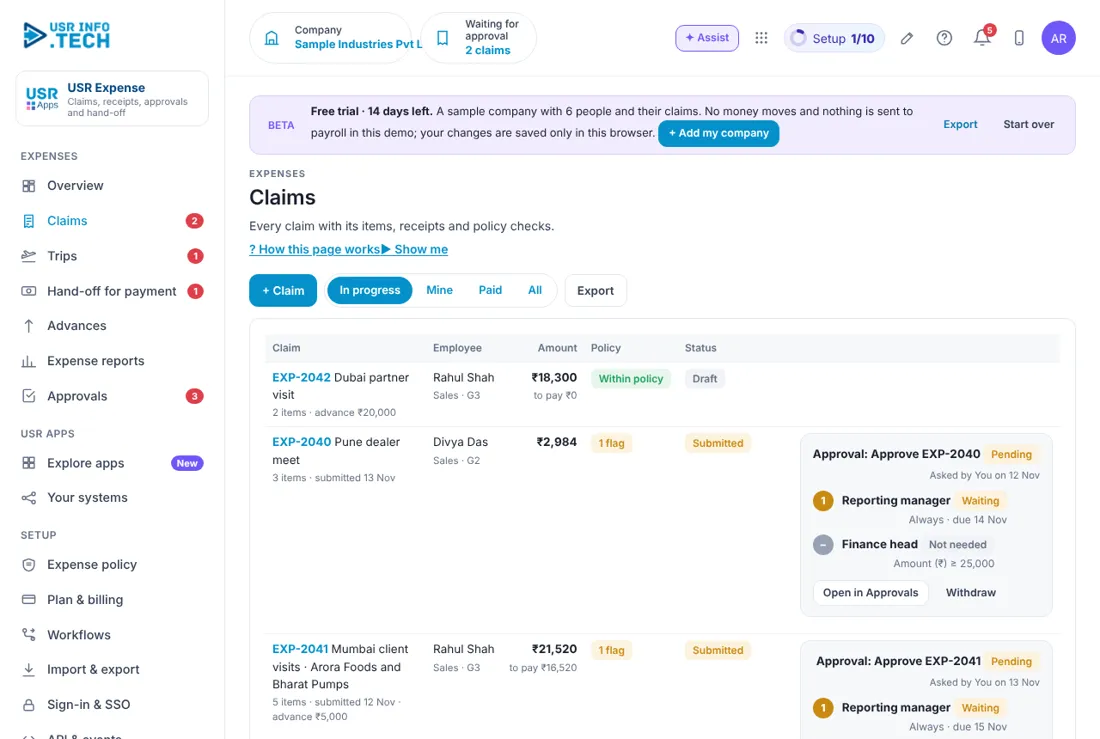
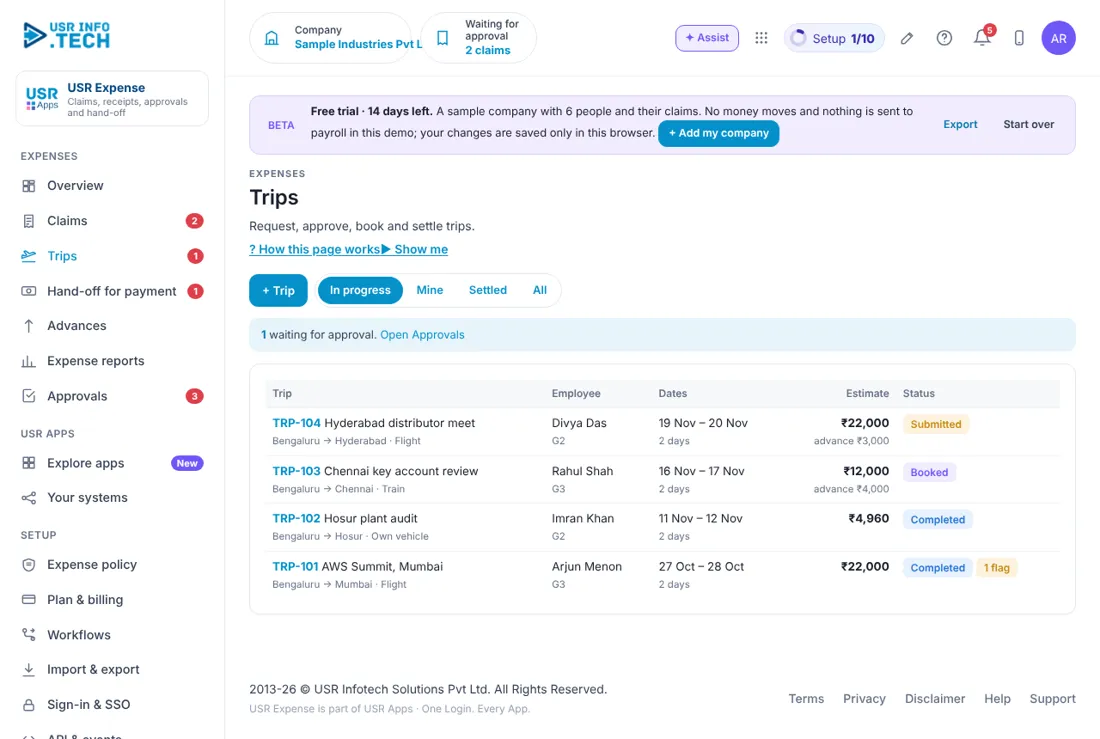
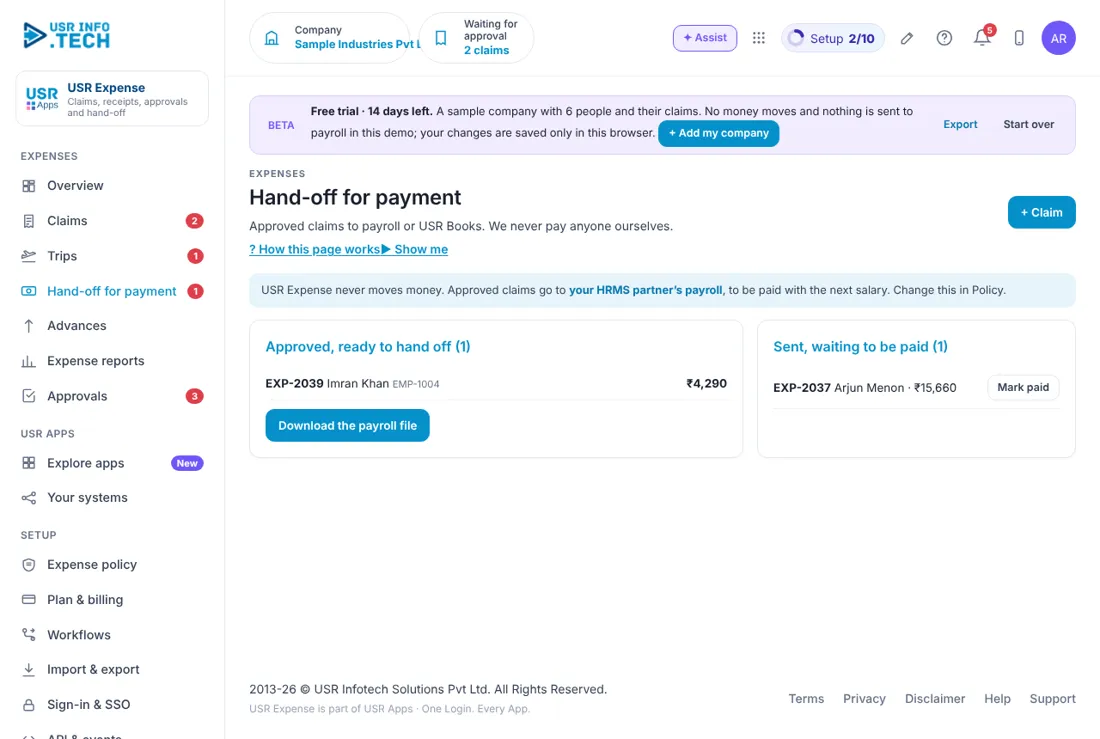
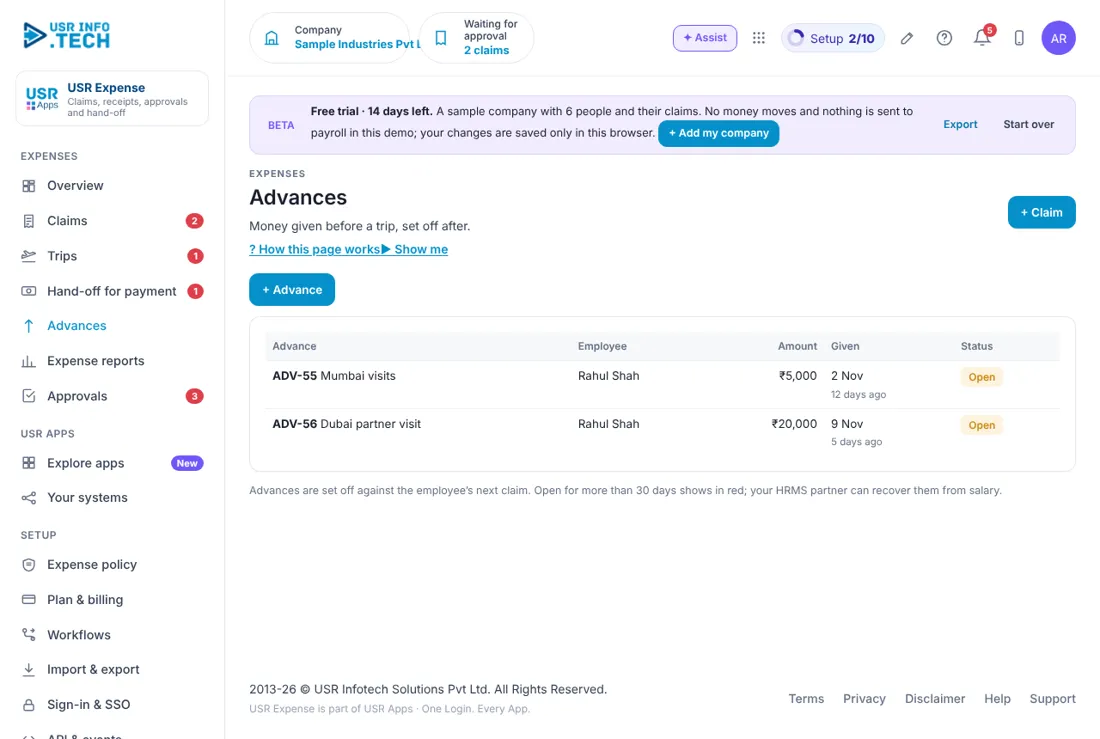
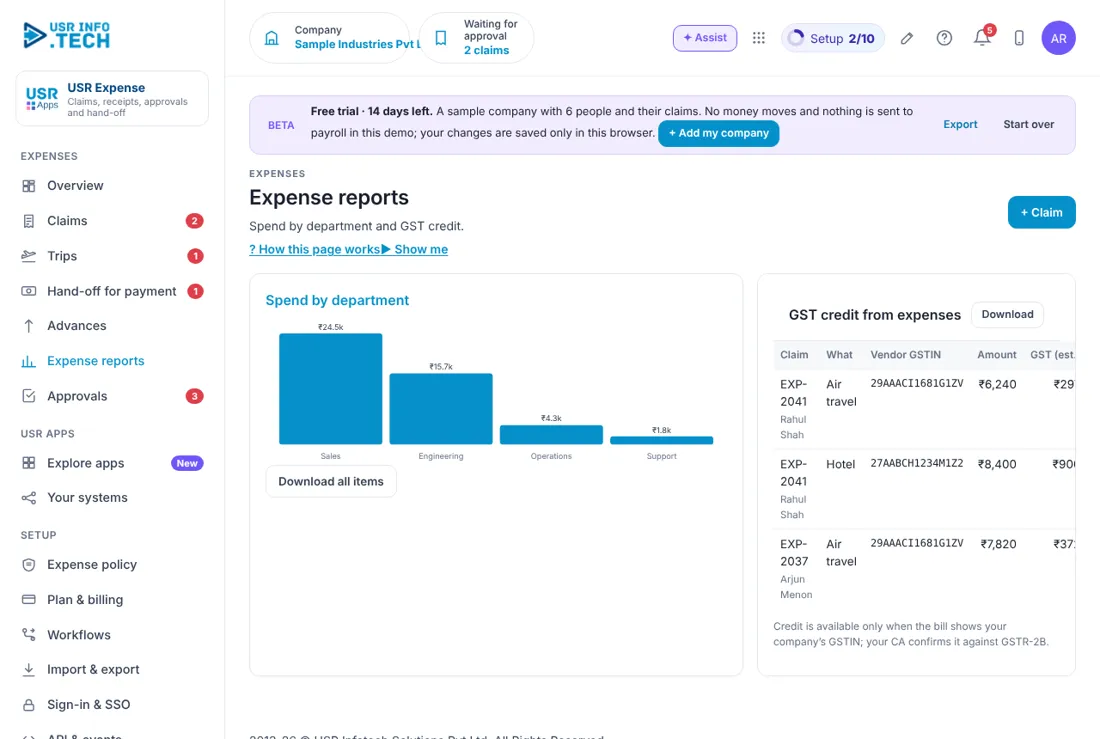
Sample company data. Screens can change as the app improves; the steps stay the same.
Welcome to USR Expense
USR Expense makes claims simple. Snap a photo of each receipt, and the app works out per diem and mileage, checks the policy by grade and city, sends the claim for approval and hands it off to payroll or USR Books. USR Expense never pays anyone itself; payment happens in payroll or your bank.
- Claims with a photo of each receipt
- Per diem and mileage worked out for you
- Policy checks by grade and city
- Trips: request, approve, book and settle
- Advances given before a trip and set off after
- Hand-off to payroll or USR Books; expense reports with GST credit
A year in USR Expense
| When | What happens | Who |
|---|---|---|
| When you start | Set the Expense policy: limits by grade and city, mileage rate. | Finance head |
| Any day | Employees add claims within a week of spending. | Employees |
| Every week | Managers clear Approvals. | Managers |
| Before payroll | Hand-off for payment: send approved claims to payroll or USR Books. | Finance team |
| Every month | Read Expense reports by department; claim GST credit. | Finance head |
| Every year | Review the policy and mileage rates. | Finance head |
Key ideas in simple words
- Claim. A request to be paid back, with one or more items and receipts.
- Item. One expense in a claim, such as a taxi or a hotel night.
- Policy check. The app compares each item with the limit for your grade and city.
- Per diem. A fixed daily amount for food and local travel on a trip.
- Advance. Money given before a trip, set off against the claim after.
- Hand-off. Sending approved claims to payroll or USR Books to be paid.
GOOD TO KNOW: A claim over the limit is not refused on its own; it is flagged, and the approver decides with a note.
Who does what
| Role | What you do | What you see |
|---|---|---|
| Employee | Adds claims and trips, attaches receipts | Own claims |
| Manager | Approves or sends back claims and trips | Team's claims |
| Finance team | Checks receipts, hands off for payment, settles advances | All claims |
| Finance head | Sets the Expense policy, reads reports | Everything |
Quick start
- Open USR Expense from the Finance group on Home.
- Click + Claim and add an item: date, category and amount.
- Take a photo of the receipt or choose a file.
- Read the policy check next to the item.
- Click Submit for approval.
YOU SHOULD SEE: Your claim shows Waiting on your manager under Claims.
Features step by step
5.1 Overview
Claims, approvals, hand-offs and advances at a glance.
Tip: Red numbers need action today.
5.2 Claims
Every claim with its items, receipts and policy checks. Filter by status: Draft, Waiting, Approved, Handed off, Paid.
Tip: Add the receipt the same day; photos fade.
5.3 Trips
Request, approve, book and settle trips. The per diem is worked out from the dates and the city.
Tip: Request the trip before you travel, so the advance can be paid.
5.4 Approvals
Everything waiting for an approval, who it is waiting on and what is overdue. Approve, send back or reject with a note.
Tip: Use Approve ticked to clear many at once.
5.5 Hand-off for payment
Approved claims go to payroll (as a payroll file) or to USR Books (as bills to pay). We never pay anyone ourselves.
Tip: Hand off once a month, before payroll closes.
5.6 Advances
Money given before a trip, set off after. Shows what is still to settle.
Tip: An advance not settled in 30 days is flagged.
5.7 Expense reports
Spend by department, category and month, with GST credit you can claim.
Tip: Share with your CA for input GST.
5.8 Expense policy
Limits by grade and city, mileage rate and rules such as receipts needed above an amount.
Tip: Start with the recommended set and change only what you need.
BEING COMPLETED: Reading the amount and date from the receipt photo for you (AI read) is being completed. Nothing here is promised by date.
Works with other USR apps
USR Expense shares one record with every USR app. Add these next to save more typing:
| App | What flows |
|---|---|
| USR HRMS | Approved claims go into payroll. |
| USR Books | Claims become bills to pay, with GST. |
| USR CA Desk | Your CA sees the GST credit. |
| USR HRIS | Grades and managers come from the employee record. |
If something is not working
| Problem | What to do |
|---|---|
| My receipt photo is blurred | Take it again in good light and replace the file before you send. |
| The claim is stuck | Open Approvals to see who it is waiting on. If they are away, their stand-in can approve. |
| An item shows Over limit | Add a note why. The approver decides. |
| I do not see the Trips page | Your company may not use trips. Ask your admin. |
| I cannot sign in | Use the same Google account or employee ID as before. Ask your admin to reset your PIN. |
| A page is missing | Menus follow your access. Ask your admin. |
Questions people ask
Who pays me? Payroll or your company's bank, after the hand-off. USR Expense never pays anyone itself.
Can I claim in another currency? Yes. Enter the amount and currency; finance confirms the rate.
Can I use my phone? Yes. Add USR Apps to your home screen and snap receipts there.
How long are receipts kept? As long as your company's data rules say, with an audit trail.
Glossary: words you will see
- Per diem. a fixed daily allowance
- Mileage. pay per kilometre for using your own vehicle
- Grade. your level in the company, which sets your limits
- Input GST. GST on a bill that the company can claim back
- Stand-in. the person who approves while you are away
USR Expense shares one record with these apps
No retyping between apps: data entered once flows to the next app, on the same login.
USR Expense is part of USR One. Finance Suite from ₹999 ($25) per company a month, or every app in USR One Complete. Free for up to 10 people.
See USR One
