
USR Billing help
USR Billing runs subscriptions for a company that sells plans: trials, plans and prices, GST tax invoices, payments by card, UPI or bank transfer, and polite reminders when a bill is late. Your customers get one bill for everything they buy and manage it themselves on the customer billing page.
See the screens
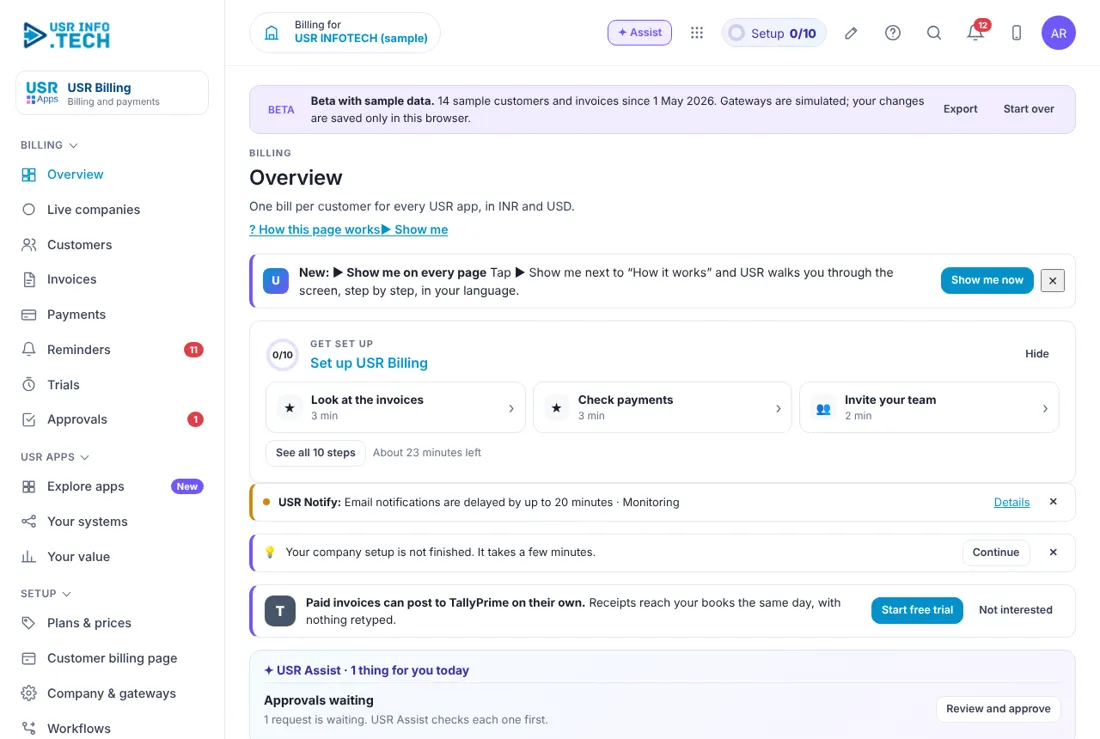
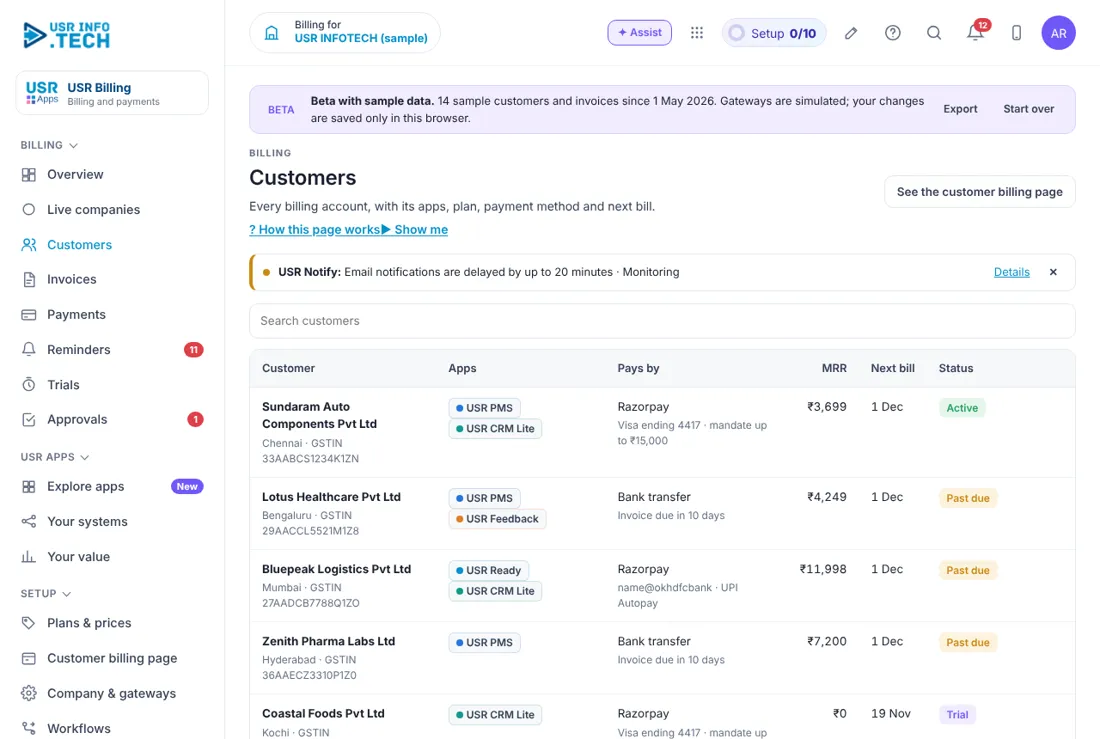
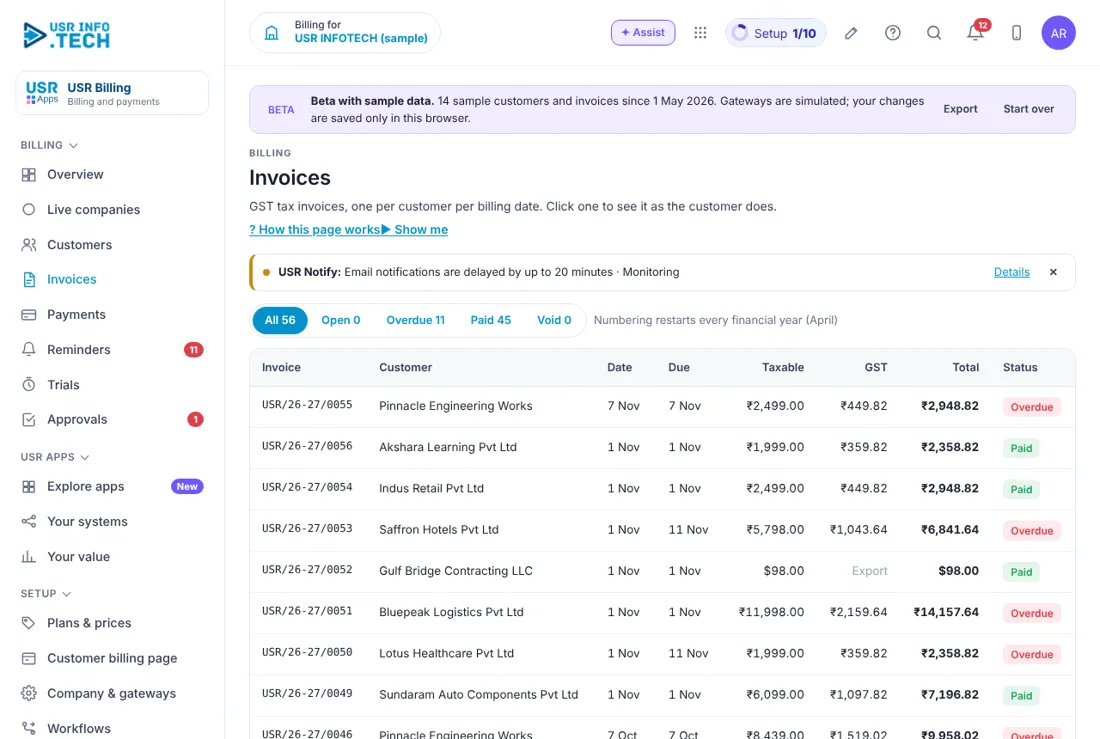
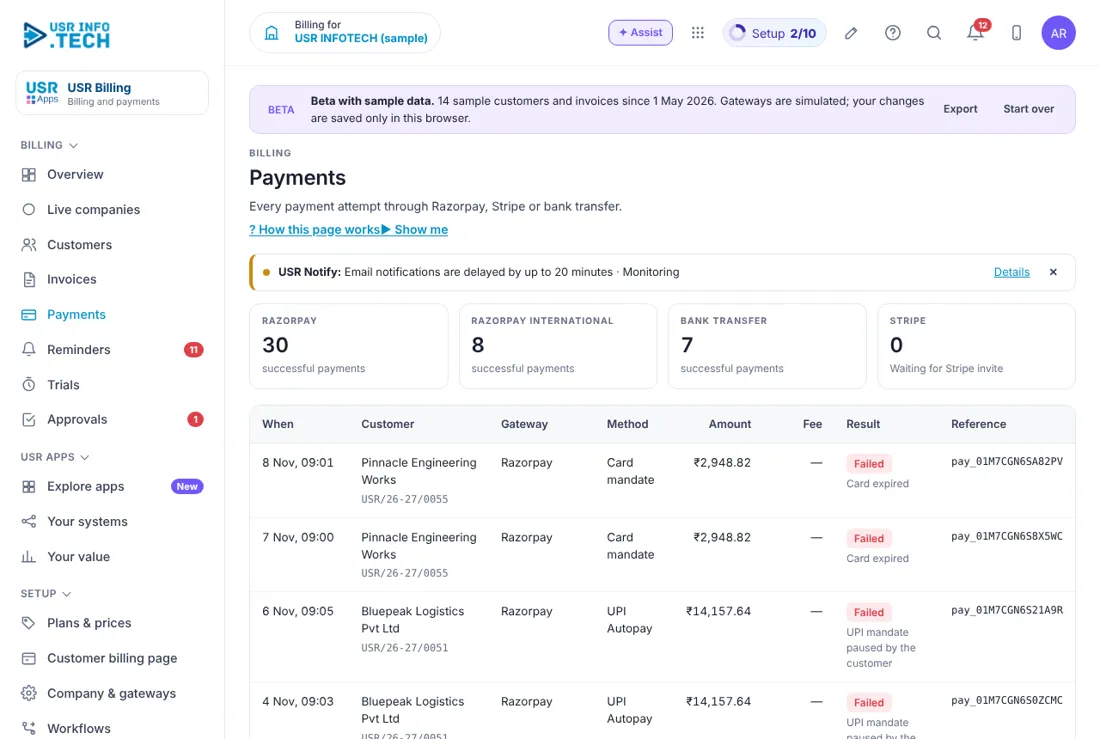
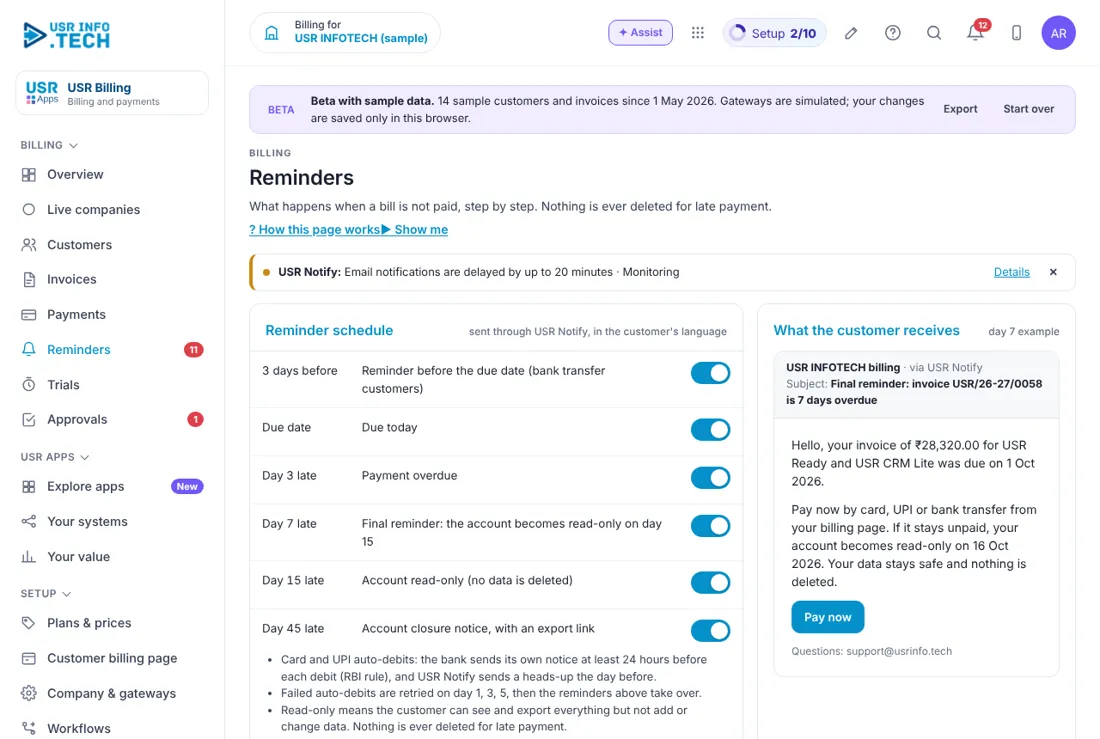
Sample company data. Screens can change as the app improves; the steps stay the same.
Welcome to USR Billing
USR Billing runs subscriptions for a company that sells plans: trials, plans and prices, GST tax invoices, payments by card, UPI or bank transfer, and polite reminders when a bill is late. Your customers get one bill for everything they buy and manage it themselves on the customer billing page.
- One bill per customer for everything they use, in INR and USD
- GST tax invoices with your company details, one per customer per billing date
- Payments by card, UPI or bank transfer through your payment gateway
- Reminders and retries run on their own; nothing is deleted for late payment
- 14-day trials that turn into paid plans
- A customer billing page where customers change plans, pay and download invoices
A year in USR Billing
| When | What happens | Who |
|---|---|---|
| When you start | Fill in Company & gateways. Add Plans & prices. Test one payment. | Finance head |
| Every day | Open Overview. Check Payments for failed attempts. | Billing team |
| Every billing date | Invoices are made on their own. Check a few before they go. | Billing team |
| Every week | Open Reminders. Call customers who are two steps behind. | Account owner |
| Every month | Download invoices for your CA. Check trials ending this week. | Finance head |
| Every year | Review plans and prices. Update GST details if they change. | Finance head |
Key ideas in simple words
- Customer. A company you bill. One customer can use many plans.
- Plan. What a customer buys, with a price per month or year, in INR and USD.
- Invoice. A GST tax invoice for one customer on one billing date.
- Payment. One attempt to collect money. It can succeed, fail or wait.
- Reminder. A step that runs when a bill is not paid, such as an email or a retry.
- Trial. Free use for 14 days before the first bill.
- Customer billing page. The page your customers use to see bills, pay and change plans.
GOOD TO KNOW: USR Billing never deletes a customer's data for late payment. Reminders step up slowly, and a person always decides before access is paused.
Who does what
| Role | What you do | What you see |
|---|---|---|
| Finance head | Sets up Company & gateways and Plans & prices; approves credits | Everything |
| Billing team | Checks invoices, payments and reminders every day | Customers, Invoices, Payments, Reminders |
| Account owner | Follows up late payers and trials | Their own customers |
| Customer | Pays, changes plan, downloads invoices | Only the customer billing page |
Quick start
- Sign in at apps.usrinfo.tech and open USR Billing from the Finance group.
- Open Setup > Company & gateways. Enter your legal name, GSTIN and invoice prefix.
- Connect your payment gateway and finish the Gateway setup checklist.
- Open Setup > Plans & prices. Add one plan with a monthly price.
- Open Customers and add a test customer, for example Sunrise Traders.
- Make a small test payment from the customer billing page.
YOU SHOULD SEE: You see the payment under Payments and a GST invoice under Invoices.
Features step by step
5.1 Overview
One bill per customer for every plan, in INR and USD. Shows monthly recurring revenue, bills due, failed payments and trials ending.
Tip: Start each day here. Click any number to see the list behind it.
5.2 Customers
Every billing account, with its plans, payment method and next bill. Click a customer to see invoices, payments and notes.
Tip: Keep the GSTIN right; it prints on every invoice.
5.3 Invoices
GST tax invoices, one per customer per billing date. Click one to see it as the customer does. Use Email it to send it again, or Download CSV for your CA.
Tip: Invoices are never edited after they go out. Use a credit note instead.
5.4 Payments
Every payment attempt by card, UPI or bank transfer, with its status.
Tip: A failed payment is retried on its own; you do not need to retry by hand.
5.5 Reminders
What happens when a bill is not paid, step by step: email, retry, a call from the account owner, then a person decides.
Tip: Nothing is ever deleted for late payment.
5.6 Trials
14-day trials and how they turn into paid plans. See who is in trial and when it ends.
Tip: Call trial customers on day 10, not day 14.
5.7 Approvals
Credits, discounts and plan changes that need a second person. Approve, send back or reject with a note.
Tip: Use Approve ticked to clear many at once.
5.8 Plans & prices
Every plan in INR and USD, as used for billing. + Add a plan, set the price and the billing cycle.
Tip: A price change applies from the next billing date only.
5.9 Customer billing page
What your customer sees: bills and trial ends, How you pay, Change plan or quantity, Cancel at period end and Download invoices. Everything here works.
Tip: Share this page in your welcome email so customers serve themselves.
5.10 Company & gateways
What prints on every invoice (legal name, GSTIN, LUT reference for exports, invoice prefix) and how payments are collected.
Tip: Ask your CA to check these once before the first invoice.
BEING COMPLETED: More payment gateways for markets outside India. Nothing here is promised by date.
Works with other USR apps
USR Billing shares one record with every USR app. Add these next to save more typing:
| App | What flows |
|---|---|
| USR Books | Every invoice and payment lands in your books with GST, ready for GSTR-1. |
| USR CRM Lite | A won deal becomes a billing customer. |
| USR Quotes | An accepted quote goes live as a plan. |
| USR Tally | Invoices and payments sync to TallyPrime if you keep it. |
If something is not working
| Problem | What to do |
|---|---|
| A payment shows Failed | Wait for the next retry. If it fails again, the reminder steps tell the account owner to call. |
| A GSTIN is wrong on an invoice | Fix it under Customers. Raise a credit note for the old invoice and a new invoice. |
| A customer cannot pay | Ask them to try UPI or bank transfer on the customer billing page. |
| Plans & prices is empty | Add at least one plan before you add customers. |
| I cannot sign in | Use the same Google account or employee ID as before. Ask your admin to reset your PIN. |
| A page is missing | Menus follow your access. Ask your admin. |
Questions people ask
Can a customer pay in USD? Yes. Plans carry an INR and a USD price.
Do you delete data when a bill is late? No. Nothing is deleted for late payment. A person decides before access is paused.
Can I give my CA the invoices? Yes. Download CSV or invite your CA as a read-only user.
Where do invoices go in my accounts? They flow to USR Books on their own, with GST.
Glossary: words you will see
- GSTIN. the 15-character GST number of a business
- LUT. letter of undertaking for exports without paying IGST
- MRR. monthly recurring revenue
- Credit note. a document that reduces an invoice already sent
- Dunning. the steps that follow an unpaid bill (called Reminders in the app)
USR Billing shares one record with these apps
No retyping between apps: data entered once flows to the next app, on the same login.
USR Billing is part of USR One. Finance Suite from ₹999 ($25) per company a month, or every app in USR One Complete. Free for up to 10 people.
See USR One
