


Finance · How-to guide
Key points
- An employee submits a claim in 5 steps: item, receipt photo, policy check, submit.
- Each item is checked against the limit for the employee's grade and city; an item over the limit is flagged, not refused.
- Managers approve, send back or reject with a note; finance hands approved claims to payroll or USR Books once a month.
- USR Expense never pays anyone itself: payment happens in payroll or your bank.
- Free for up to 10 people; included in USR One at ₹39 ($1) per employee a month.
In many small and mid-size businesses, expense claims still live on paper, email and spreadsheets. Receipts sit in a drawer, managers approve from memory, and the accounts team re-types every claim before payroll. Staff wait weeks for their money, and nobody can check a claim later.
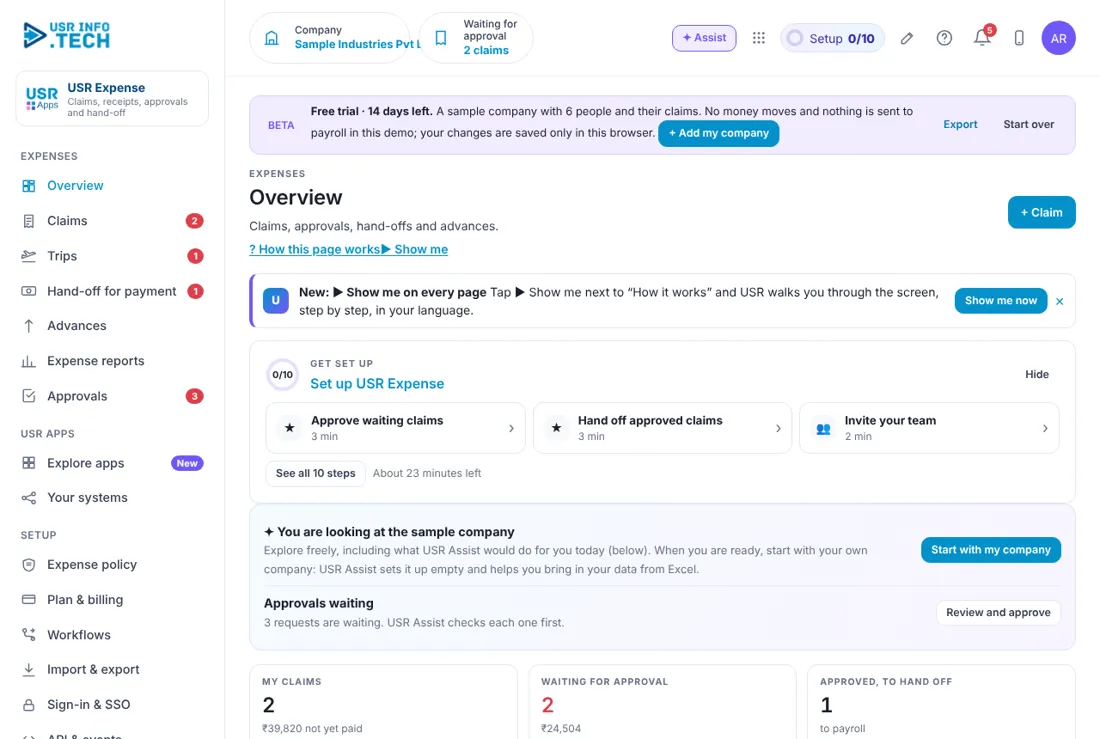
This guide follows one everyday task, an expense claim, from the receipt photo to payment in USR Expense. The steps come from the USR Expense user manual, and the screens show a sample company.
5
steps for an employee to submit a claim
USR Expense user manual4
roles: employee, manager, finance team, finance head
USR Expense user manual30 days
after which an unsettled advance is flagged
USR Expense user manual₹0
for companies with up to 10 people
usrinfo.tech/pricingOne claim, five stops: from the receipt photo to the money in the employee's account.
Before you start: set the expense policy once
The finance head sets the Expense policy on day one: limits by grade and city, the mileage rate, and rules such as when a receipt is needed above an amount. Start with the recommended set and change only what you need, then review the policy and mileage rates once a year.
Grades and managers come from the employee record in USR HRIS, so every claim reaches the right approver without anyone mapping it by hand.
| Role | What they do | What they see |
|---|---|---|
| Employee | Adds claims and trips, attaches receipts | Own claims |
| Manager | Approves or sends back claims and trips | Team's claims |
| Finance team | Checks receipts, hands off for payment, settles advances | All claims |
| Finance head | Sets the Expense policy, reads reports | Everything |
Step by step: an employee submits a claim
- Open USR Expense from the Finance group on Home.
- Click + Claim and add an item: date, category and amount.
- Take a photo of the receipt or choose a file.
- Read the policy check next to the item.
- Click Submit for approval.
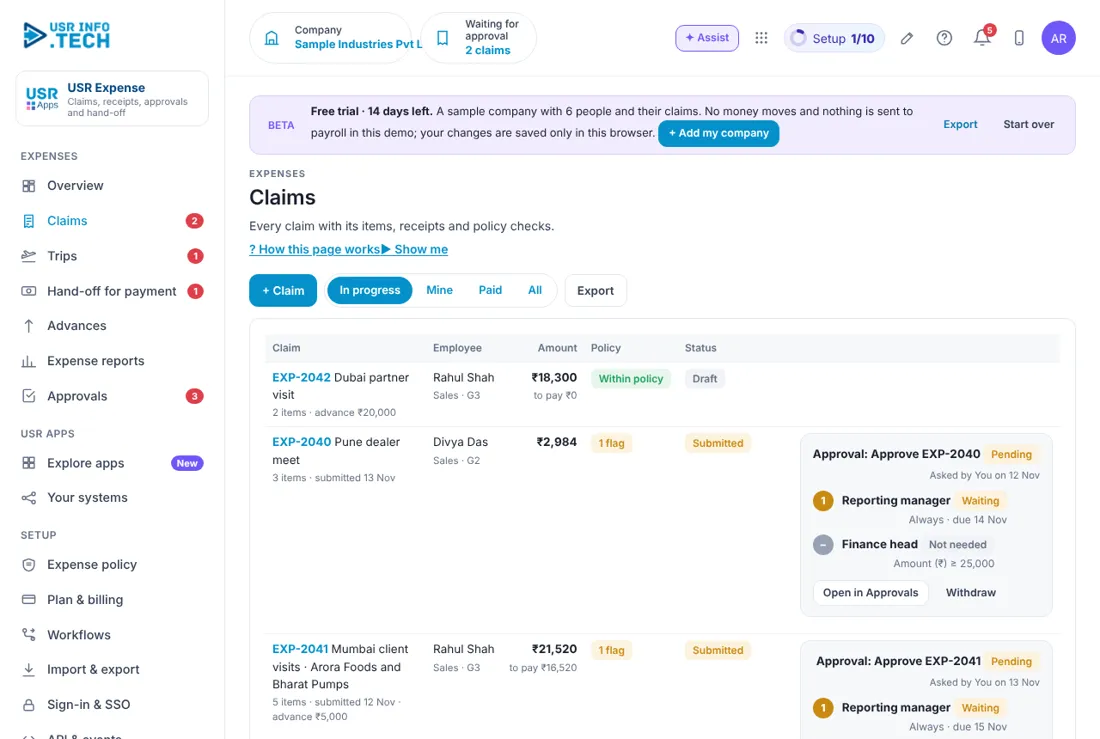
The claim now shows Waiting on your manager under Claims. Every claim carries a status (Draft, Waiting, Approved, Handed off or Paid), so employees can see where their money is without asking accounts. Add the receipt the same day: paper receipts fade, and a blurred photo can be replaced before you send.
How the policy check works
Each item is compared with the limit for the employee's grade and city. An item over the limit is not refused on its own. It is flagged, the employee adds a note explaining why, and the approver decides. The rule stays visible, and genuine exceptions are not blocked.
Trips follow the same idea. The employee requests the trip before travelling, so an advance can be paid. The per diem, a fixed daily amount for food and local travel, is worked out from the dates and the city. After the trip, the advance is set off against the claim, and an advance not settled in 30 days is flagged.
Approvals and the hand-off to payroll
Managers see everything waiting on them under Approvals, including what is overdue. They approve, send back or reject with a note, and can clear many claims at once with Approve ticked. If an approver is away, their stand-in can approve.
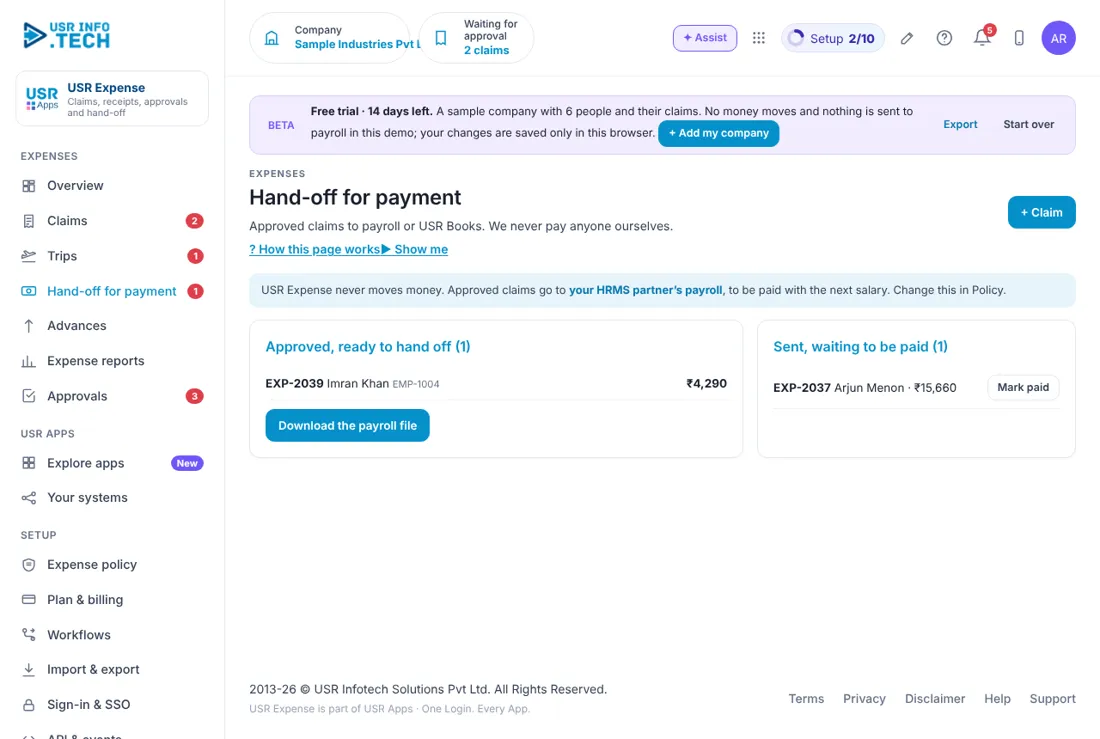
Once a month, before payroll closes, the finance team opens Hand-off for payment. Approved claims go to payroll as a payroll file, or to USR Books as bills to pay. USR Expense never pays anyone itself, so your existing payroll and bank controls stay in place.
Reports for the finance head and your CA
Expense reports show spend by department, category and month, with the GST credit you can claim. Share the report with your CA for input GST. Because USR Expense shares one record with USR HRMS, USR Books and USR CA Desk, nobody re-types a claim between apps.
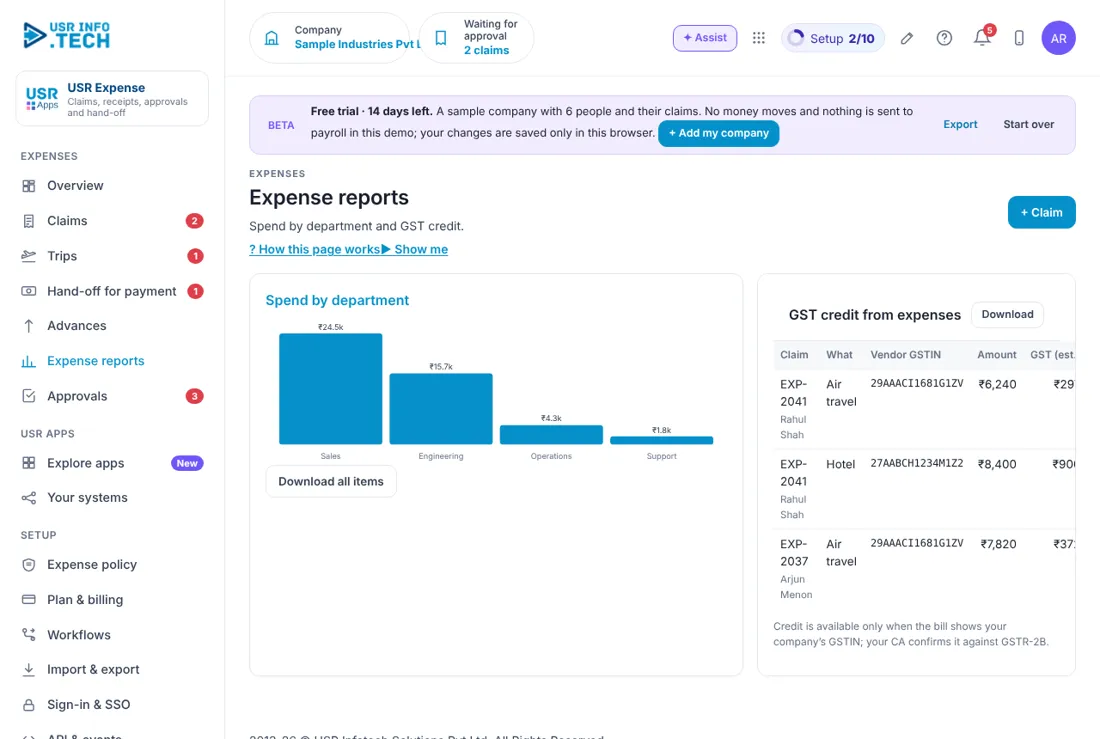
Sample company data from the USR Expense user manual. Screens can change as the app improves; the steps stay the same.
USR Expense is included in USR One at ₹39 ($1) per employee a month, with every other app. Companies with up to 10 people use every app free. See pricing for details.
Start with expense claims, free
Start today. No sales call needed.
- Every USR app free for up to 10 people, including USR Expense
- USR Expense user manual: every screen, step by step
- GST calculator and compliance calendar for your finance team
Copy this: monthly expense claim routine
- Set limits by grade and city, and the mileage rate
- Employees add claims within a week of spending
- Attach the receipt photo the same day
- Add a note to any item over the limit
- Managers clear Approvals every week
- Settle trip advances within 30 days
- Hand off approved claims before payroll closes
- Share the Expense report with your CA every month
Questions we hear
Does USR Expense pay employees directly?
No. USR Expense never pays anyone itself. After approval, the finance team hands claims off to payroll as a payroll file, or to USR Books as bills to pay, and the money is paid through payroll or your company's bank.
What happens when an expense is over the policy limit?
The item is not refused on its own. It is flagged against the limit for the employee's grade and city, the employee adds a note explaining why, and the approver decides.
Can employees claim from their phone, or in another currency?
Yes. Employees add USR Apps to their phone's home screen and snap receipts there. For a claim in another currency, they enter the amount and currency, and the finance team confirms the rate.
Partners wanted: domestic, regional and global CA firms, finance and HR partners can write to apps@usrinfo.tech.
This article is general information for finance and HR teams, not tax advice. Ask your CA about GST input credit and the tax treatment of reimbursements.
Sources
- USR Expense user manual, read 23 Nov 2026: quick start, roles, policy checks, trips and advances, hand-off for payment, expense reports.
- USR Expense app page, read 23 Nov 2026: what the app does and the apps it works with.
- USR pricing, read 23 Nov 2026: USR One from ₹39 ($1) per employee a month; every app free up to 10 people.